 CallPal
Connect CallPal to ActiveCampaign
Sync your ActiveCampaign contacts into CallPal, call them from the browser, and have every call written back to the contact record automatically. Setup takes about five minutes.
Deciding whether to use it at all? What the ActiveCampaign integration does.
Before you start
- A CallPal account. The 14-day trial is enough — no card required, and the integration is available on every plan.
- An ActiveCampaign account with access to Settings → Developer. On most ActiveCampaign plans that means an admin user.
- In CallPal, permission to manage integrations. Owners and admins have it by default.
Copy your API URL and API key from ActiveCampaign
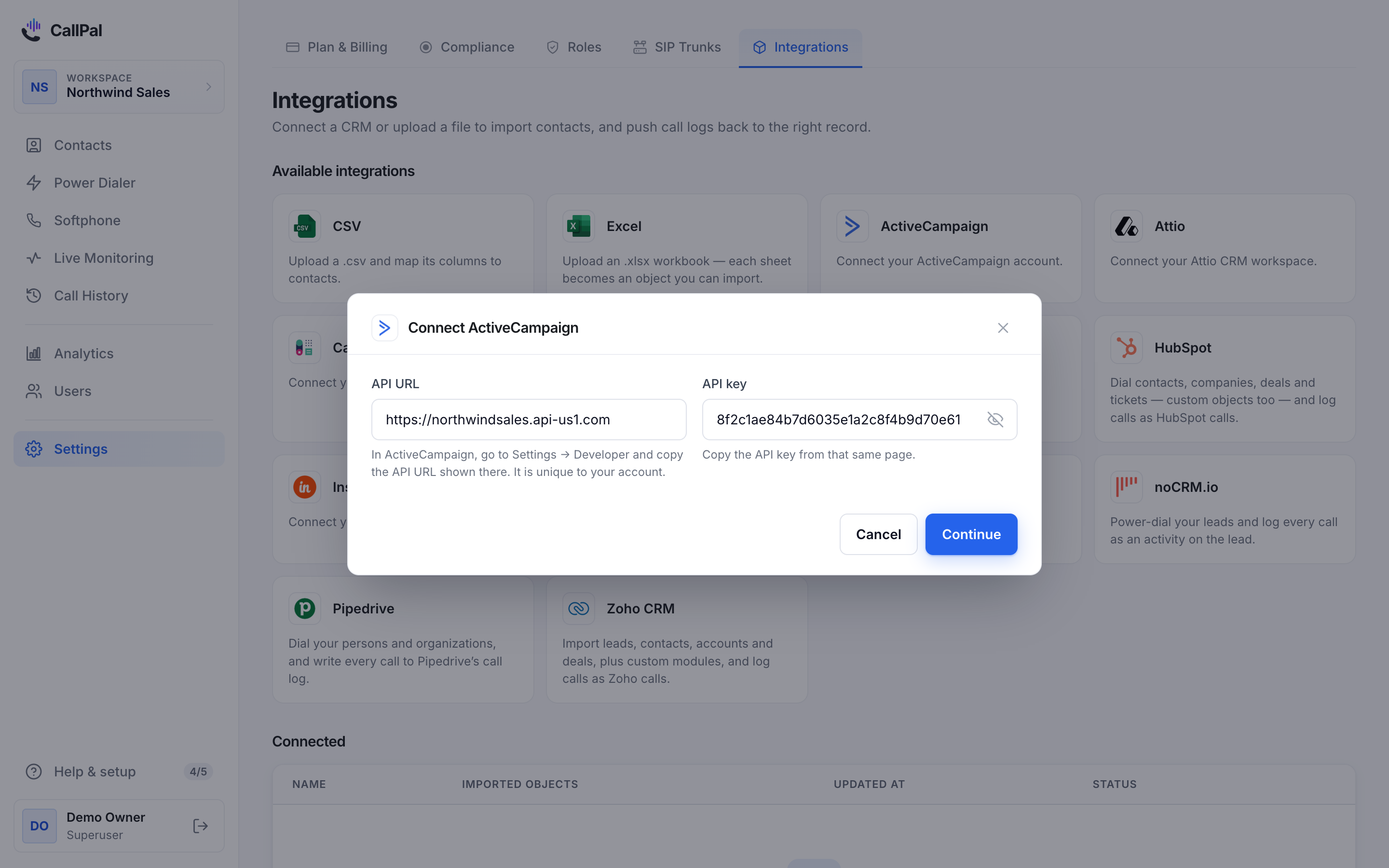
In ActiveCampaign, open Settings → Developer. That page shows two values you need, and they are the only two.
The API URL is unique to your account — it is not the same for everyone, so copy the one shown rather than typing a URL you have seen elsewhere. The API key is on the same page.
Treat the key like a password. Anyone holding it can read and write your ActiveCampaign data.
API URL   https://youraccount.api-us1.com
API Key   a1b2c3d4e5f6...
Add the connection in CallPal
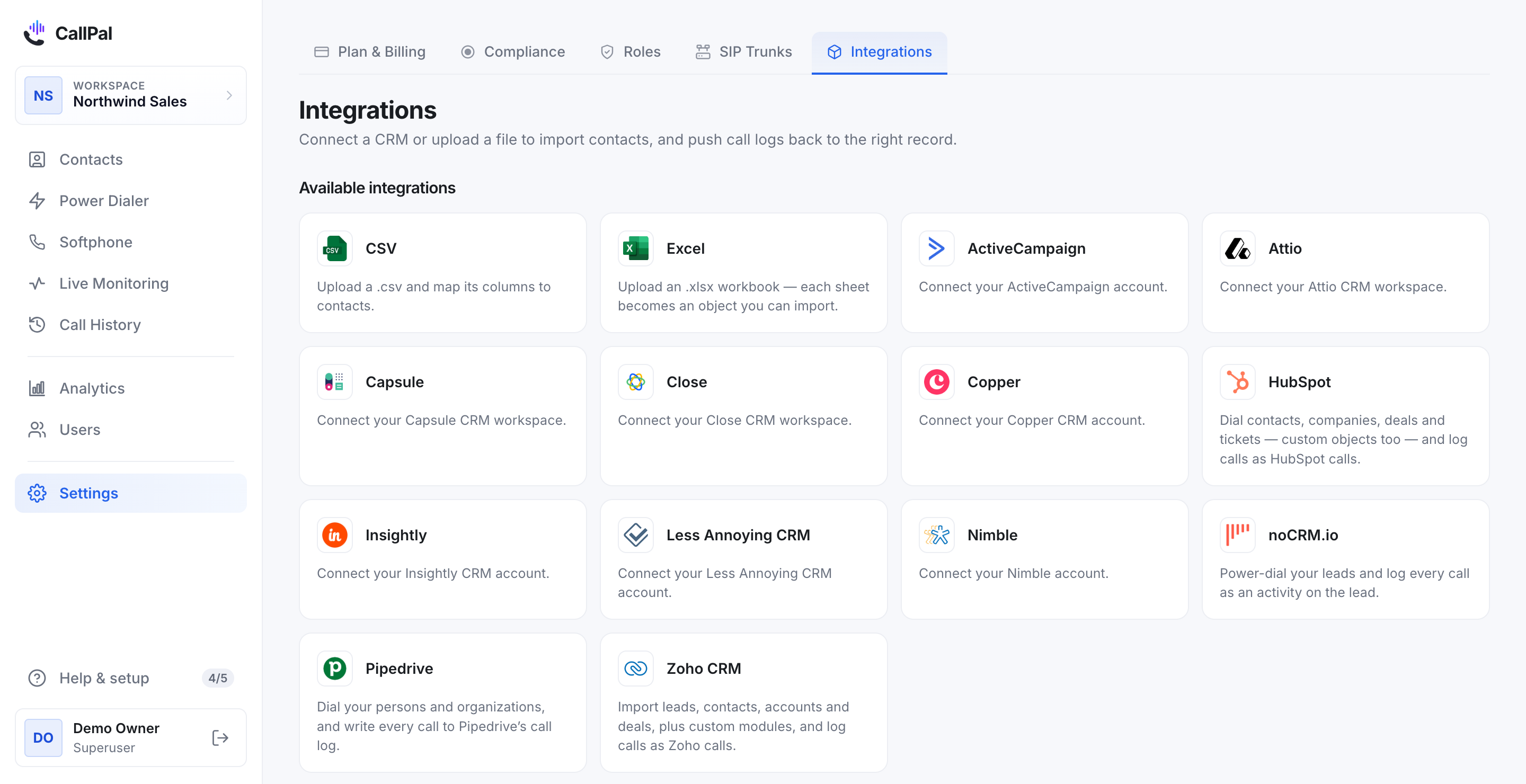
In CallPal, go to Settings → Integrations, find ActiveCampaign, and select it.
Paste the API URL and the API key into the two fields and save. CallPal checks the credentials against your account immediately — if either value is wrong you find out now rather than at the first sync.
ActiveCampaign does not offer OAuth for this API, so an API key is the only way to connect. That is a limitation of their API, not a CallPal shortcut.
Choose what to import
Pick which ActiveCampaign objects to bring across. Contacts is selected by default and is what most teams want. Accounts is available if you call organisations rather than people.
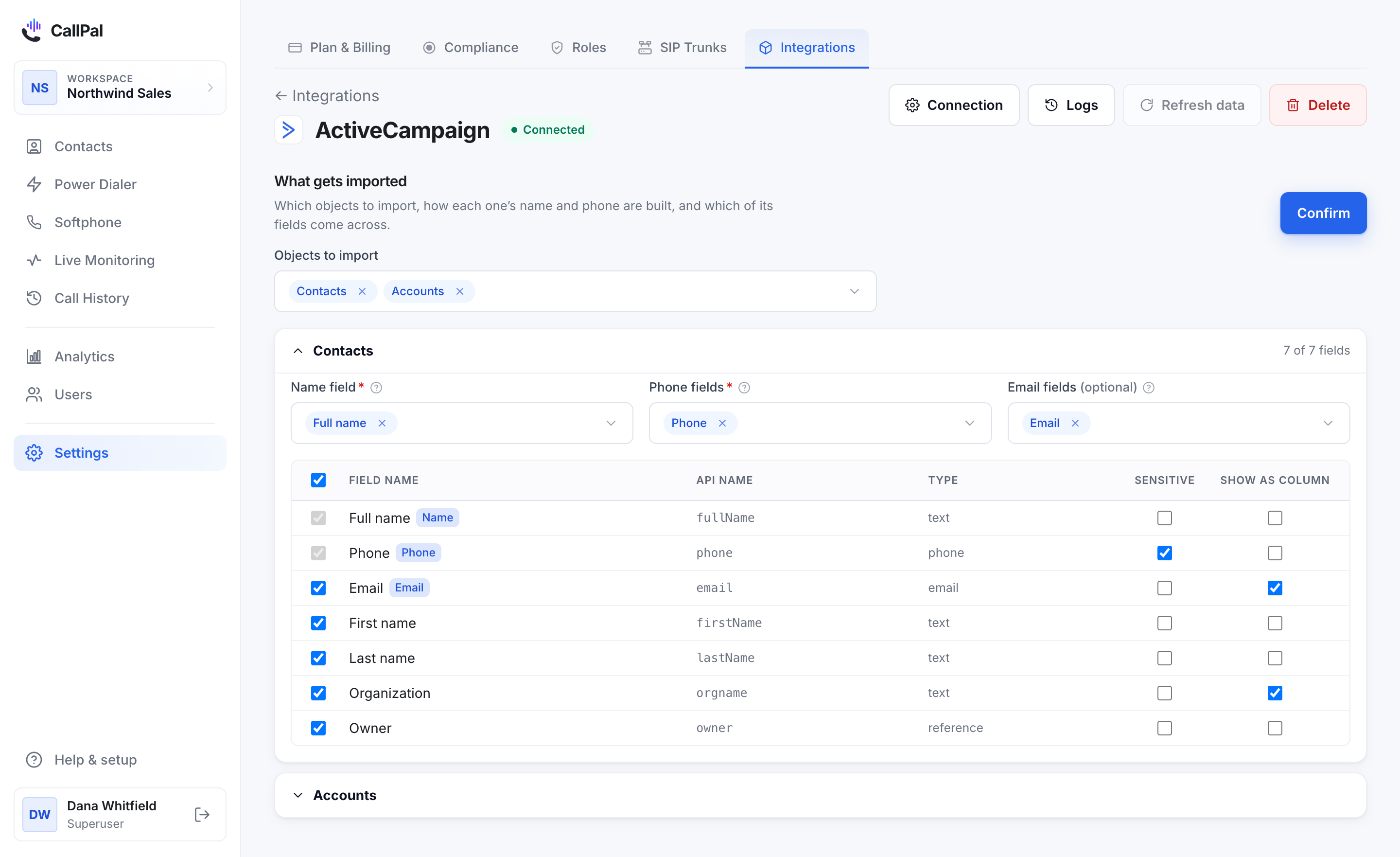
The same screen carries the field mapping — the next step — so you can set both before confirming. You can change either later without reconnecting.
Check the field mapping
CallPal maps the standard fields for you — name, phone, email, organisation and record owner. Review the mapping and adjust anything your team uses differently.
The phone field is the one to check carefully: it decides what actually gets dialled.
Run the first sync
Start the sync. Contacts appear in CallPal as they arrive, so a large account fills in progressively rather than showing nothing until it finishes.
After that, CallPal re-syncs automatically every 30 minutes. You can also trigger a sync by hand at any time from the connection page.
Make a call
Open any synced contact and select the phone number to dial, or add contacts to a power-dialer campaign to work through a list.
When the call ends, CallPal writes it back to the ActiveCampaign record as a note — no one has to log anything.
📞 CallPal call log — outbound · 4m12s · Interested
Started: 12 Sep 2026, 14:22 UTC
Recording available in CallPal
Open in CallPal: https://app.callpal.co/calls/...
What syncs
- Contacts → CallPal
- Full name, first and last name, phone, email, organisation and record owner.
- Accounts → CallPal
- Account name, phone, website and record owner. Optional — off unless you turn it on.
- Calls → ActiveCampaign
- Every completed call is written to the matching record as a note: direction, duration, outcome, start time, whether a recording exists, and a link back to the call in CallPal.
What it does not do
Worth reading before you roll this out to a team — these are design decisions, not gaps we are about to close.
- Calls are logged as notes, because ActiveCampaign has no native call-activity object to write to. The first line of every note is a fixed marker, so they are straightforward to search and filter.
- Deals are not imported. The contact behind a deal syncs normally and is the record you would dial anyway, so importing deals would add a tab of rows nobody can call.
- The sync is one-way for contact data — CallPal reads your contacts and does not edit or create them in ActiveCampaign. The only thing written back is the call note.
- CallPal is outbound only. There is no inbound routing, no IVR and no predictive dialing.
Questions
Where do I find my ActiveCampaign API URL?
Settings → Developer in ActiveCampaign. The API URL is unique to your account and looks like https://youraccount.api-us1.com — copy the one shown on that page rather than assuming a format.
Can I connect with OAuth instead of an API key?
No. ActiveCampaign does not offer OAuth for the API this integration uses, so an API key is the only option. The key is encrypted at rest in CallPal and can be revoked from ActiveCampaign at any time.
How often does it sync?
Every 30 minutes by default, and you can trigger a sync manually from the connection page whenever you need a contact immediately.
Will it change or create contacts in ActiveCampaign?
No. CallPal reads contacts and writes call notes. It never edits contact fields and never creates contacts.
Which phone number does it call from?
Your own. CallPal is bring-your-own-carrier: you connect your own SIP trunk, calls are billed by your carrier at your rate, and outbound calls present your company number rather than a rep’s personal line.
What happens if I revoke the API key?
The sync stops and the connection shows an error on the integrations page. Reconnect with a new key to resume. Contacts already synced into CallPal stay there.
Still stuck?
Write to [email protected] with your account name and what you saw. A person answers.