 CallPal
Connect CallPal to Close
Sync your Close leads and contacts into CallPal, call them from the browser, and have every call written back to Close as a native call activity. Setup takes about two minutes.
Deciding whether to use it at all? What the Close integration does.
Before you start
- A CallPal account. The 14-day trial is enough — no card required, and the integration is available on every plan.
- A Close user allowed to approve third-party applications.
- In CallPal, permission to manage integrations. Owners and admins have it by default.
Open Integrations in CallPal
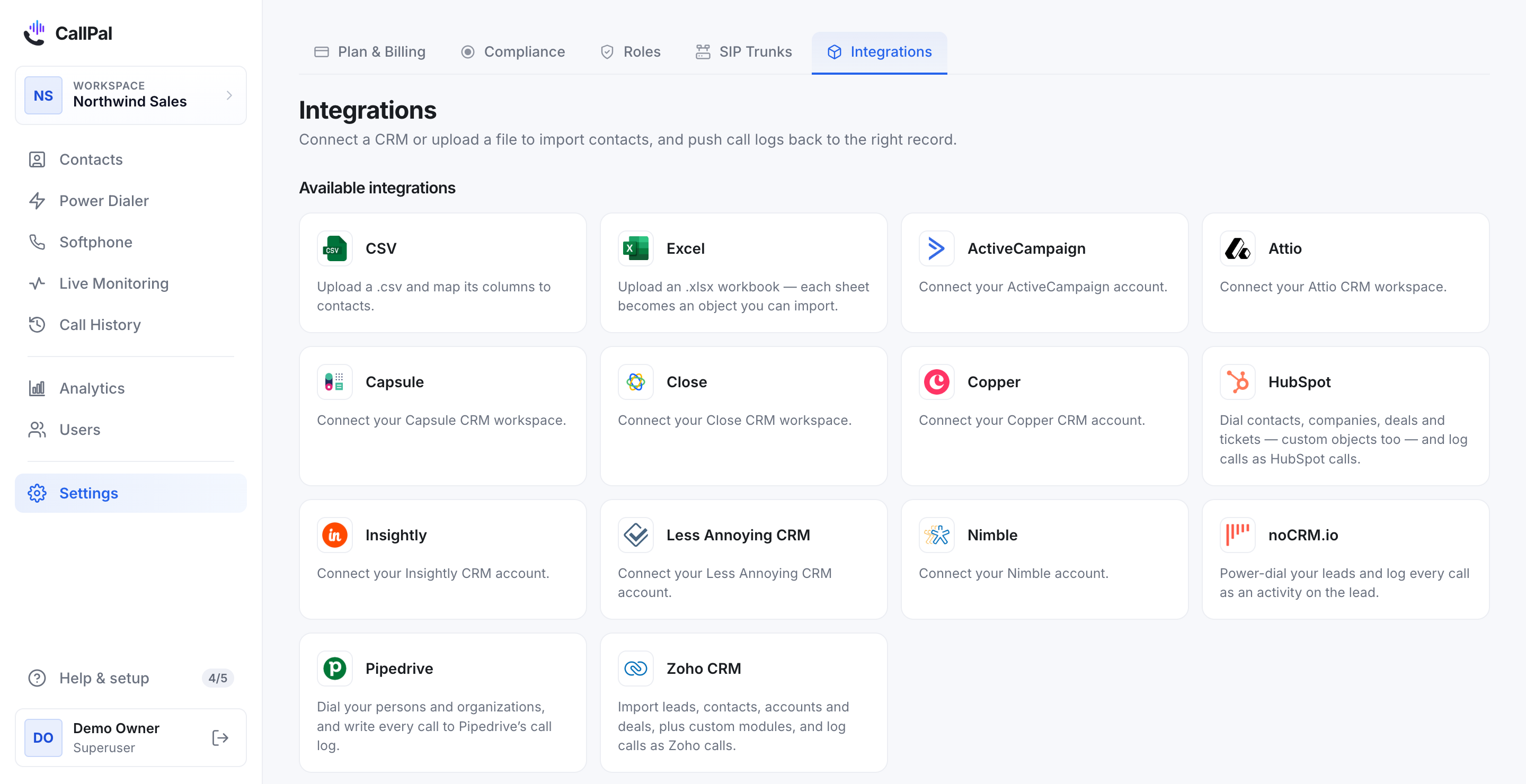
In CallPal, go to Settings → Integrations, find Close, and select it.
Approve access in Close
Close connects over OAuth. Select Continue and CallPal sends you to Close, where you sign in and approve the access being asked for.
Approve, and Close returns you to CallPal with the connection made. No API key is ever entered into CallPal, and you can revoke the access from Close at any time.
Choose what to import
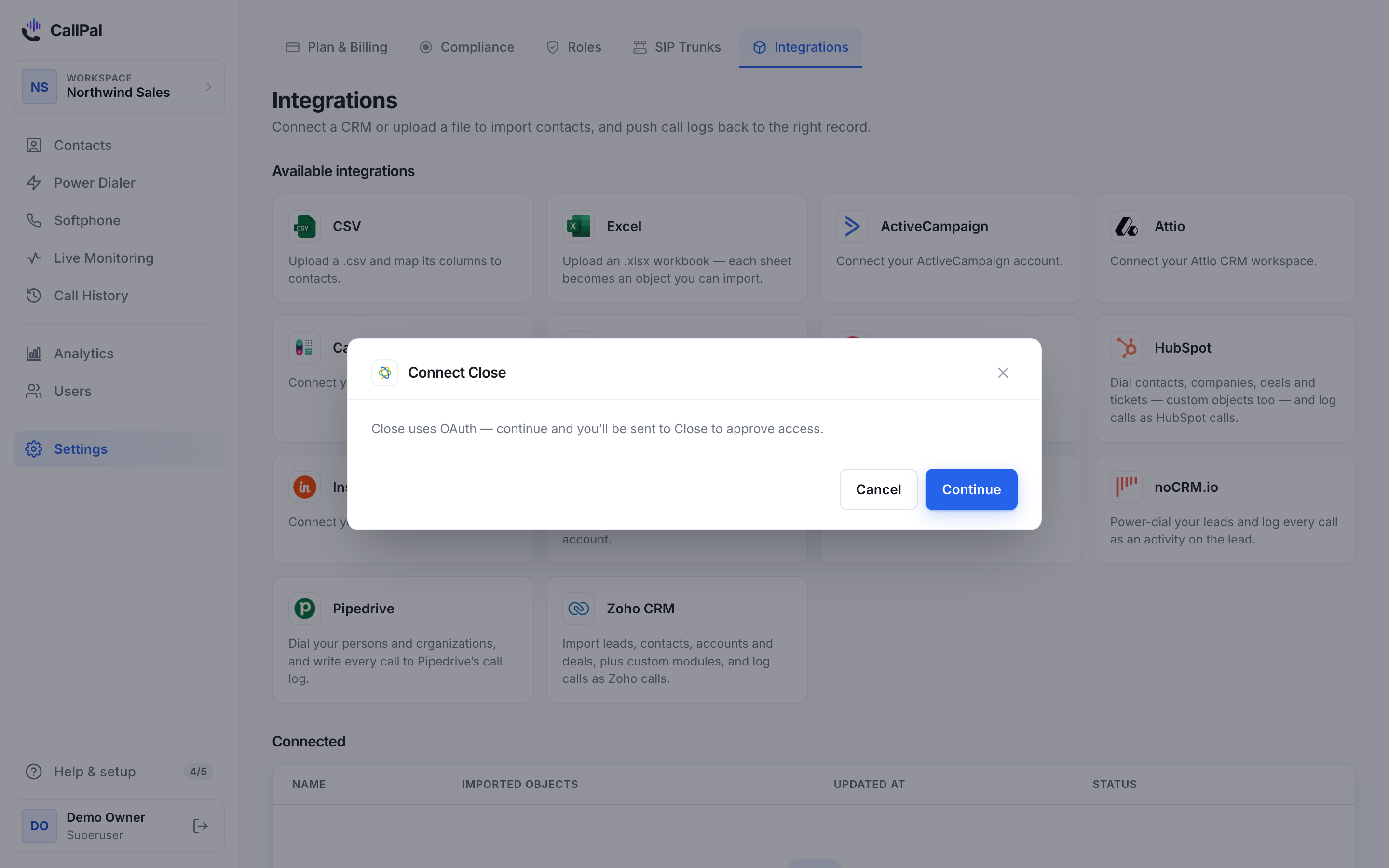
Close models a Lead as the company and Contacts as the people inside it, and CallPal follows that shape rather than flattening it.
Leads is selected for you, which suits teams who work an account list. Add Contacts if your reps dial named people rather than the company’s main number.
Check the field mapping
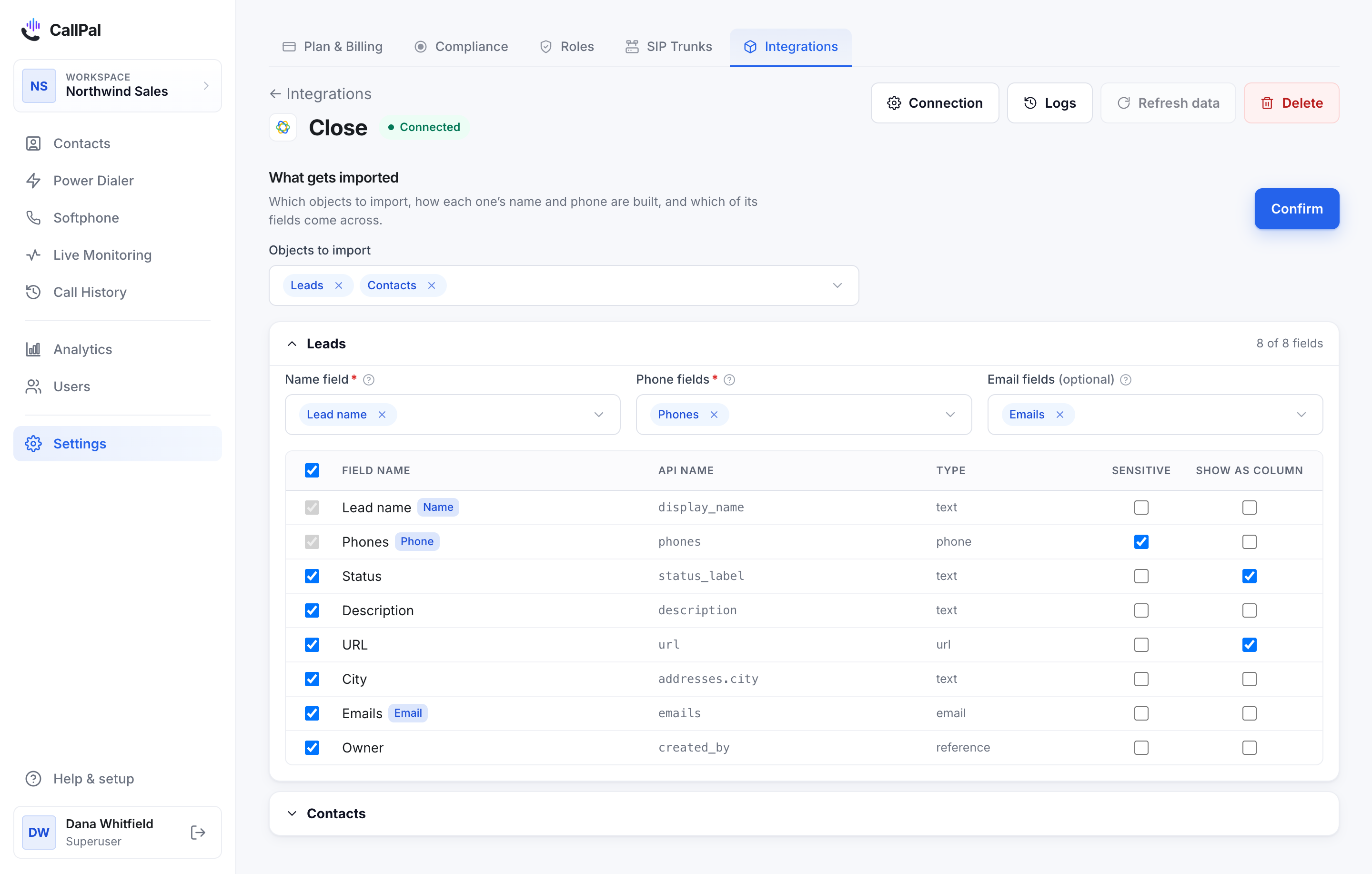
CallPal maps the standard fields for you — name, phone, email and owner. Review it and adjust anything your team uses differently.
Close allows several numbers on a contact, each with its own type. The phone mapping is where you decide which ones your reps should reach, and in what order.
Run the first sync
Start the sync. Records appear as they arrive, so a large Close account fills in progressively rather than showing nothing until it finishes.
After that CallPal re-syncs every 30 minutes, and you can trigger one by hand from the connection page.
Make a call
Open any synced record and select the phone number, or add records to a power-dialer campaign to work a list.
When the call ends, CallPal writes it to Close as a native call activity — not a note — so it appears in the lead’s activity feed and counts in Close’s own call reporting.
What syncs
- Close → CallPal
- Leads, and optionally Contacts. Standard and custom fields alike, read from your own account.
- Calls → Close
- Every completed call is written as a native call activity on the matching lead or contact: direction, duration, outcome, start time and a link back to the call in CallPal.
What it does not do
Worth reading before you roll this out to a team — these are design decisions, not gaps we are about to close.
- CallPal reads your records and does not edit them. The only thing written back is the call activity — never a field, a status or an opportunity.
- Close has its own dialer. CallPal is for teams who want to keep Close and bring their own carrier rather than buy minutes through it; if you are happy with Close’s calling, you do not need this.
- CallPal is outbound only. No inbound routing, no IVR, no predictive dialing.
Questions
Do I need a Close API key?
No. Close connects over OAuth, so you approve CallPal from your own account and no key is copied anywhere.
What is the difference between importing Leads and Contacts?
In Close a Lead is the company and Contacts are the people in it. Import Leads if your reps work an account list, Contacts if they dial named people. You can import both.
Where do the calls appear in Close?
As native call activities on the matching lead or contact, so they show in the activity feed and count in Close’s call reporting.
How often does it sync?
Every 30 minutes by default, and you can trigger a sync manually from the connection page at any time.
Which phone number does it call from?
Your own. CallPal is bring-your-own-carrier: you connect your own SIP trunk, calls are billed by your carrier at your rate, and outbound calls present your company number rather than a rep’s personal line.
How do I disconnect it?
Delete the connection in CallPal, or revoke CallPal from your Close account settings. Either stops the sync immediately; records already in CallPal stay there.
Still stuck?
Write to [email protected] with your account name and what you saw. A person answers.