 CallPal
Connect CallPal to Freshsales
Sync your Freshsales contacts into CallPal, power-dial them or any saved view from the browser, and have every call written back to the contact as a phone call. Setup takes about five minutes.
Deciding whether to use it at all? What the Freshsales integration does.
Before you start
- A CallPal account. The 14-day trial is enough — no card required, and the integration is available on every plan.
- A Freshsales account. CallPal sees the contacts the key’s user can see, so use an admin’s key to bring in the whole directory.
- In CallPal, permission to manage integrations. Owners and admins have it by default.
Copy your API key in Freshsales
In Freshsales, open your profile picture → Profile Settings → API Settings.
Copy Your API key. The same page shows your bundle alias — the address of your account, in the form
yourcompany.myfreshworks.com. You can also copy it from your browser’s address bar.Treat the key like a password. Anyone holding it can read and write your Freshsales data as you.
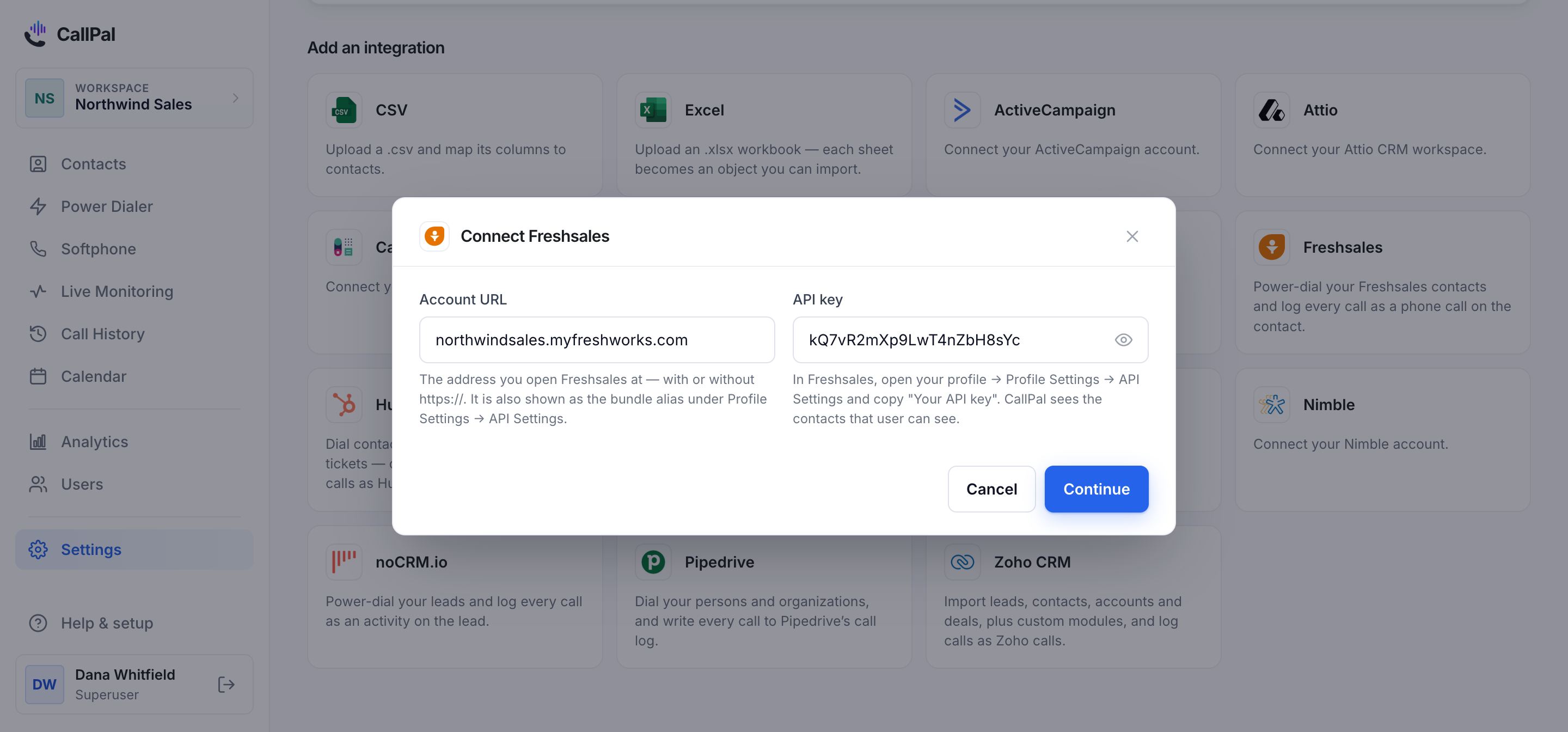
Account URL   yourcompany.myfreshworks.com
API key       a1B2c3D4e5F6...
Add the connection in CallPal
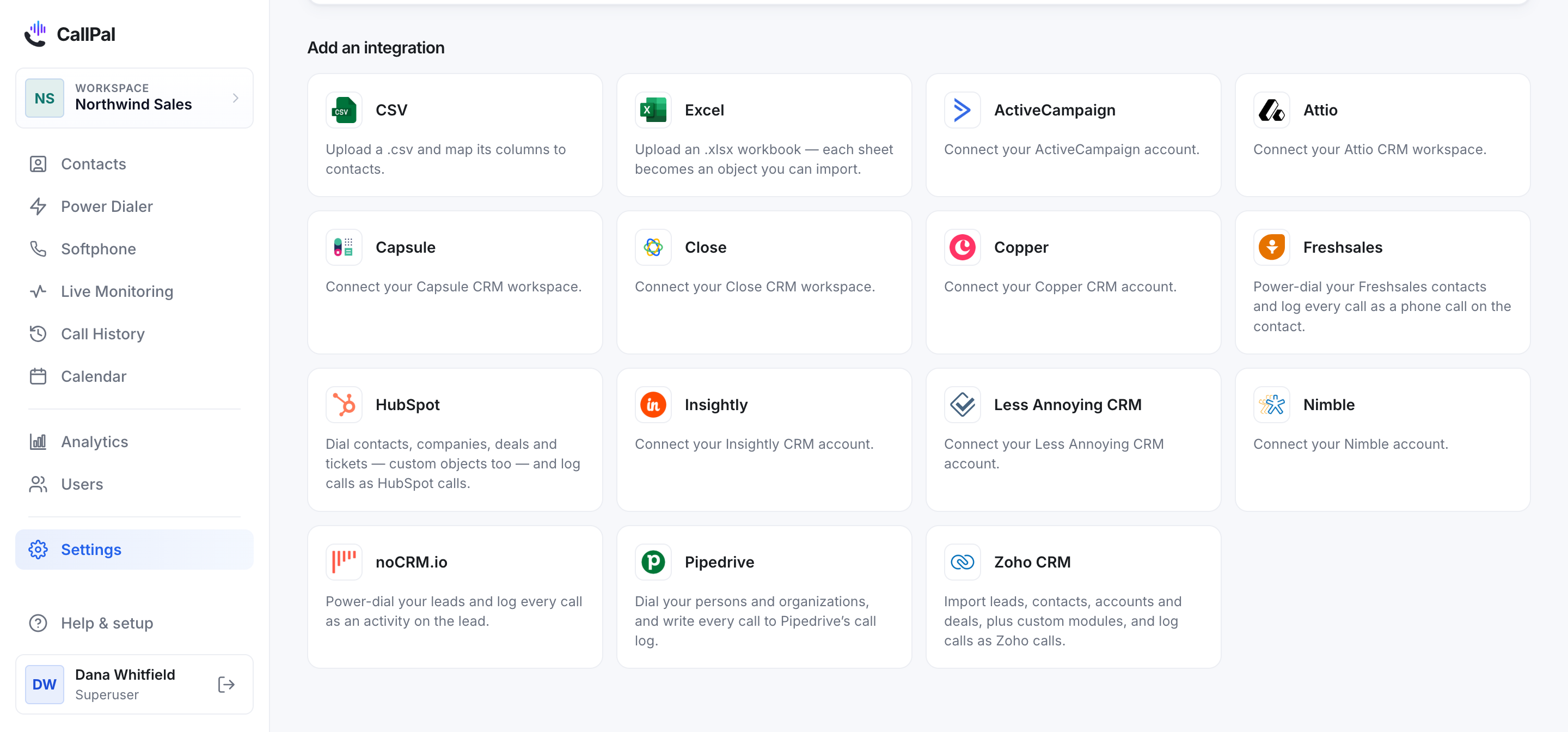
In CallPal, go to Settings → Integrations, find Freshsales, and select it.
Paste the account URL and the API key and save. CallPal checks them against your account immediately — if either is wrong you find out now rather than at the first sync.
Choose the fields to import
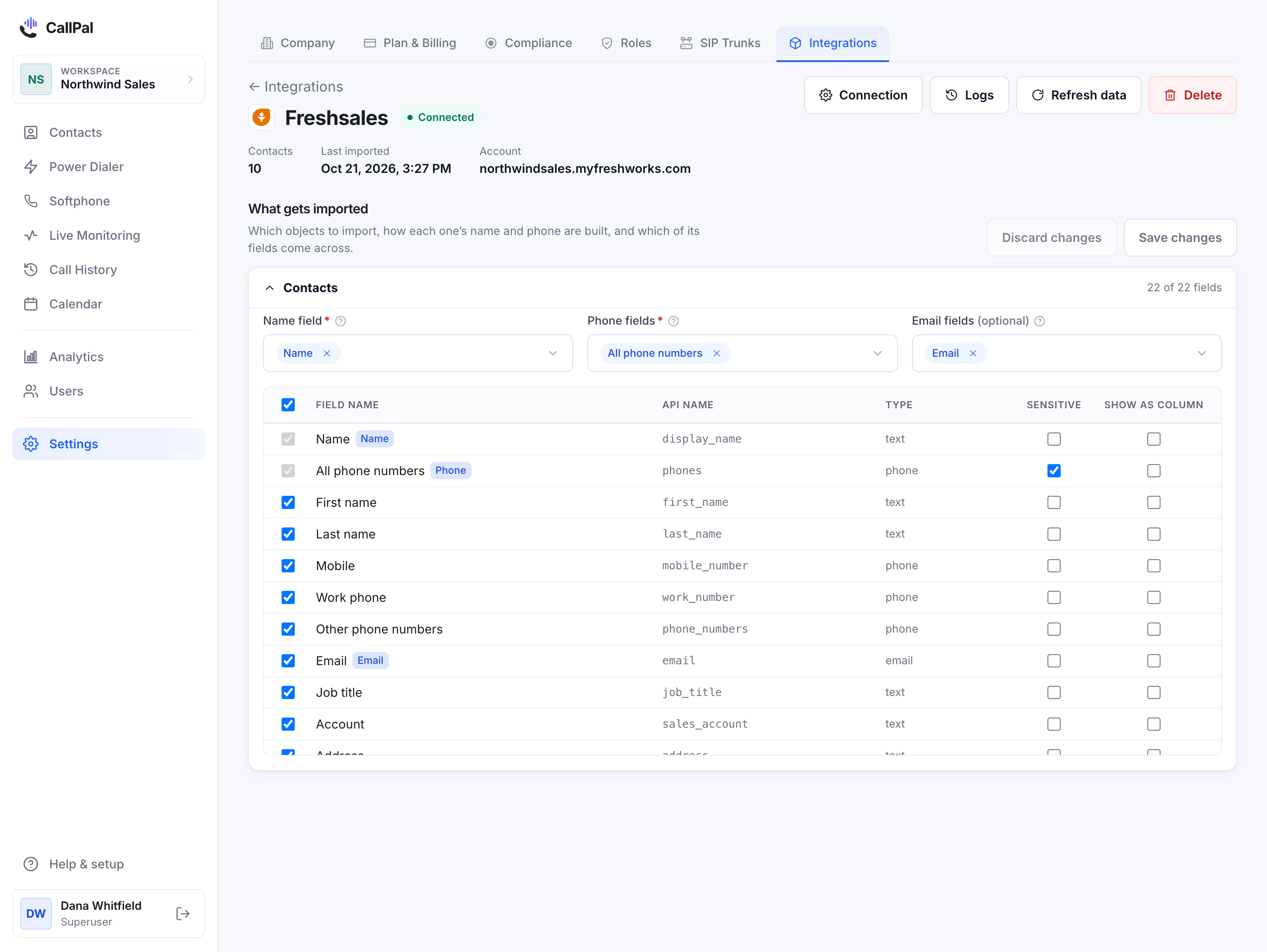
Freshsales contacts are what CallPal imports. Pick the fields worth keeping — the custom fields you have added to the contact form are offered too.
CallPal maps the name and the phone for you. All phone numbers holds the mobile, the work phone and any other numbers together, mobile first, so a rep can try the next one when the first does not answer.
Run the first sync
Start the sync. Contacts appear as they arrive, so a large directory fills in progressively rather than showing nothing until it finishes.
Freshsales allows 1,000 API requests an hour per account, shared with your other Freshsales apps. CallPal paces itself well inside that, so a first import of tens of thousands of contacts takes a while — it is never cut short.
After that CallPal picks up changes every 30 minutes, and you can trigger a full sync by hand from the connection page.
Call a contact or a whole view
Open any synced contact and select the phone number. To work a list, create a power-dialer campaign and choose one of your Freshsales views as its source — My Contacts, Never Contacted, or any filter your team has saved.
When the call ends, CallPal writes it to the contact as a phone call, with the duration, outcome, start time, whether a recording exists, and a link back to the call in CallPal.
What syncs
- Freshsales → CallPal
- Contacts, including your custom contact fields: name, mobile, work and other numbers, email, job title, primary account, address, time zone, score, tags and owner. Saved contact views are offered as campaign lists.
- Calls → Freshsales
- Every completed call is logged on the matching contact as an outgoing phone call, with a note carrying the duration, outcome, start time, whether a recording exists, and a link back to the call in CallPal.
What it does not do
Worth reading before you roll this out to a team — these are design decisions, not gaps we are about to close.
- CallPal reads your contacts and does not edit them. It never changes a field, an owner or a view, and never creates a contact.
- Accounts and deals are not imported as their own lists. A contact carries the name of its primary account.
- CallPal is outbound only. No inbound routing, no IVR, no predictive dialing.
Questions
Where do I find my Freshsales API key?
Profile picture → Profile Settings → API Settings. The same page shows your bundle alias, which is the account URL CallPal asks for.
Why are some contacts missing?
CallPal sees what the key’s user sees in Freshsales’ All Contacts view. A user restricted to their own contacts brings in only those; connect with an admin’s key for everyone.
Can I dial a saved view?
Yes. Pick it as the source when you create a campaign. Contacts that have not synced into CallPal yet are counted on the form rather than dropped silently.
How are calls recorded in Freshsales?
As an outgoing phone call on the contact, with the call details and a link back to CallPal in its note.
Which phone number does it call from?
Your own. CallPal is bring-your-own-carrier: you connect your own SIP trunk, calls are billed by your carrier at your rate, and outbound calls present your company number.
What happens if my API key changes?
The old key stops working, the sync stops and the connection shows an error. Paste the new key on the connection page to resume. Contacts already synced into CallPal stay there.
Still stuck?
Write to [email protected] with your account name and what you saw. A person answers.