CallPal
Every outbound calling platform demos well. They all show a list, a big green button, and a rep working through contacts without touching a keypad. The differences only surface later — in the phone bill, in whether calls appear in your CRM without anyone pasting them there, and in whether the tool your five-person team bought still fits when there are twenty of you.
This guide is written for a team of roughly three to thirty reps buying its first or second dialer. It is organised the way the decision actually goes: four questions that cut the field down, then ten platforms with what each one is genuinely for. We build one of them, and we have said so plainly in its entry rather than burying the disclosure.
Four questions that decide your shortlist
Feature grids are close to useless here, because almost every vendor ticks almost every box. These four answers eliminate more of the market than any comparison table will.
1. Who carries the minutes?
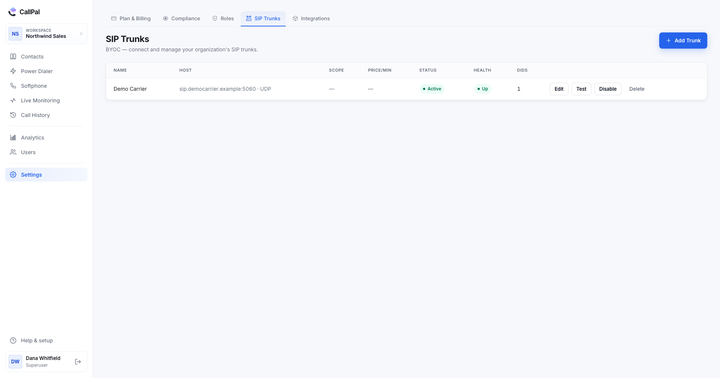
Two models exist. Most platforms are also your telecom carrier: you buy numbers from them and pay their per-minute rate. A smaller group is BYOC — bring your own carrier — where you keep a contract with a wholesale SIP provider and the software just drives it. Bundled is simpler to start. BYOC is usually cheaper past a few thousand minutes a month, and it means changing software never means changing your phone numbers.
2. Power dialing or parallel dialing?
A power dialer places one call at a time for one rep, with the rep already on the line. A predictive or parallel dialer places several calls per rep and connects whoever answers to whoever is free — which is what produces the two-second silence at the start of a call, and what drags regulated obligations like abandonment-rate monitoring into your lap. Volume teams want the second. Most teams under thirty reps want the first, and are surprised how much of the market assumes otherwise. We wrote the full comparison in power dialer vs. predictive dialer.
3. Is your CRM on the list — the real list?
Every vendor claims "integrates with your CRM". Ask which direction. Pulling contacts out is the easy half; writing the call back onto the right record, automatically, with duration and outcome, is the half that decides whether your pipeline reporting is real. And if you run Attio, Capsule, Close, Copper, Insightly, Nimble or Less Annoying CRM rather than Salesforce or HubSpot, that list gets short fast.
4. What happens to the recordings?
Recording is table stakes; retention, encryption and deletion are not. Ask how long recordings are kept on your plan, whether they are encrypted at rest, whether a rep can pause a recording mid-call, and whether there is a real deletion path when someone asks to be erased. See call recording laws in the US for why the last two matter more than they look.

The ten platforms
Ordered by who they suit, not by rank — a list this varied has no single winner. Pricing moves constantly and is tiered differently by every vendor, so check each site rather than trusting a number in a blog post.
1. CallPal — outbound calling for teams on smaller CRMs
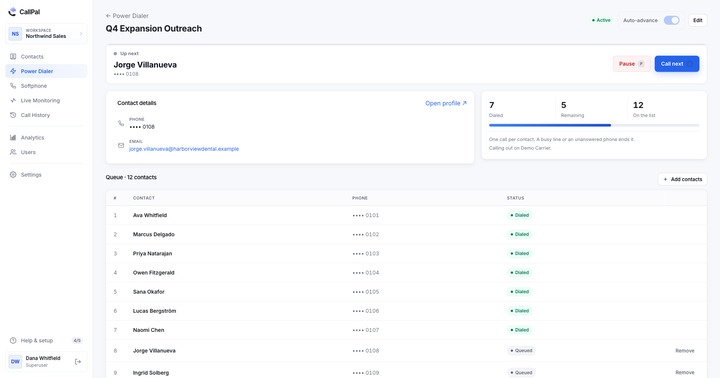
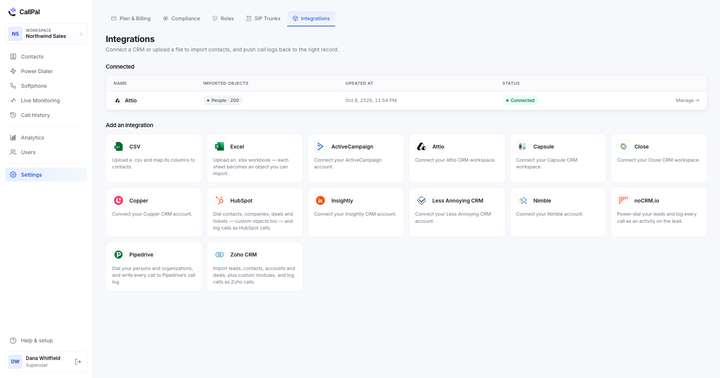
Disclosure: this is our product. CallPal is a power dialer and click-to-call layer that plugs into CRMs the big vendors skip — Attio, Close, ActiveCampaign, Capsule, Copper, Insightly, Nimble, Less Annoying CRM — plus CSV and Excel. It is BYOC only: you bring a SIP trunk, we never resell minutes, and every call presents a company number rather than a rep’s own line. Recording, live monitoring and analytics are built in. Starter is $19 per user per month, Pro $39, Scale $59.
Not for you if you need predictive or parallel dialing, inbound routing and IVR, or you would rather not hold a carrier contract at all.
2. Aircall — a full phone system with a dialer attached
A cloud phone system first: inbound routing, shared numbers, IVR, and a large integration catalogue covering the mainstream CRMs and helpdesks. Outbound power dialing exists but is not the centre of gravity. Best for a team that needs one product to answer calls as well as make them.
3. JustCall — breadth of channels
Voice, SMS, WhatsApp and a dialer in one place, with a wide integration list. Best for teams whose outbound is a sequence of calls and texts rather than calls alone. The trade-off with any broad suite is depth: each channel is competent rather than best in class.
4. Kixie — click-to-call built around HubSpot and Pipedrive
A browser extension that puts a dial button on records in the CRMs it supports, with local presence and SMS. Best for a team already deep in HubSpot or Pipedrive that wants dialing added to the CRM they live in, rather than a second app to sit in.
5. PhoneBurner — the pure power dialer
Long-established, single-purpose: work a list, leave voicemail drops, send follow-up email, move on. It has its own light CRM and integrates with others. Best for teams whose day is genuinely just a call list, and who value the absence of everything else.
6. Close — a CRM that dials
A sales CRM with calling built into the core rather than bolted on, including higher-tier predictive dialing. Best for a team willing to change CRM to get calling and pipeline in one system — and a poor fit for anyone attached to the CRM they already run.
7. Orum — parallel dialing for high-volume SDR floors
Dials many lines at once, filters out voicemails and dead numbers, and hands the rep live humans. Best for dedicated SDR teams whose whole job is top-of-funnel volume, and who have the process maturity to run that responsibly. Overkill, and over-regulated, for a five-person team.
8. RingCentral — enterprise UCaaS
Phone, meetings, messaging and contact-centre products, with outbound dialing available in the contact-centre tier. Best for organisations that need procurement-grade compliance paperwork and one vendor across the whole company. Heavier than a sales team alone needs.
9. Dialpad — AI-forward business phone
Business phone and contact centre with real-time transcription, live coaching prompts and post-call summaries as the headline. Best for teams whose bottleneck is coaching and call review rather than dial volume.
10. CloudTalk — call-centre features at SMB scale
Queues, IVR, international numbers and a dialer, priced for smaller teams. Best for a support-and-sales blend where inbound handling matters as much as outbound.
Where the money actually goes
Seat price is the number on the pricing page and rarely the number on the invoice. Three other lines matter:
| Cost | Bundled-carrier platform | BYOC platform |
|---|---|---|
| Seats | Per user, per month | Per user, per month |
| Minutes | Marked up, billed by the vendor | At wholesale, billed by your carrier |
| Numbers (DIDs) | Rented from the vendor, lost if you leave | Yours, portable between tools |
| Recording storage | Often metered or capped by plan | Usually included, capped by retention window |
A team of eight reps making 60 dials a day at three minutes average talk time burns roughly 20,000 minutes a month. At a cent of markup that is $200 a month you did not budget; at three cents it is $600. That is the whole argument for BYOC, and the whole reason bundled platforms look cheaper on the pricing page.
How to run the trial so it tells you something
- Import your real contacts, not the sample data. Field mapping is where most integrations quietly fail, and you want that failure inside the trial — clean the list to E.164 first so a rejected import is the tool’s fault and not the file’s.
- Have one rep work a genuine list for two full days. A twenty-minute demo tests the demo.
- Open the CRM afterwards and look at a record you called. Is the call there, with duration and outcome, without anyone typing it?
- Check what the person you called saw. It must be a company number, every time, on every rep’s calls.
- Pull the analytics for those two days and see whether the numbers match what the rep says happened.
- Ask what happens to your recordings and your numbers on the day you cancel. Get the answer in writing.
If a platform survives all six, it will survive your team. If it fails step three or four, no amount of dialing speed makes up for it.