CallPal
The dialer category is a mess of overlapping names. Vendors use "auto dialer" and "power dialer" interchangeably, "progressive" appears in some catalogues and not others, and "parallel dialer" is a newer label for something that has existed for thirty years. Underneath the vocabulary there is exactly one variable that matters.
How many calls does the system place per rep at the same time? Everything else about a dialer follows from that number.
One call per rep means the rep is on the line before it rings, and the person who answers hears a human immediately. More than one call per rep means somebody sometimes answers to silence while the system finds a rep for them. That is the whole trade, and it is worth understanding before you look at a single feature list.
The four types, in one table
| Type | Calls per rep | What the callee hears | Suits |
|---|---|---|---|
| Preview dialer | 1, started manually | A live rep, immediately | Complex or high-value accounts |
| Power dialer | 1, started automatically | A live rep, immediately | Most teams under ~30 reps |
| Progressive dialer | 1, paced by the system | A live rep, immediately | Blended sales and support floors |
| Predictive / parallel | Several per rep | Sometimes a pause, sometimes a drop | Large dedicated SDR floors |
Preview, power and progressive differ mainly in who decides when the next call starts. Predictive is a genuinely different machine: it places more calls than it has reps and relies on most of them not being answered.
What a power dialer actually removes
The work in outbound calling is the conversation. Everything around it is overhead: finding the next name, copying the number across, waiting through four rings, writing down what happened, remembering where you stopped. A rep pays that toll on every single contact, and it is most of the reason a list of two hundred takes a week.
A power dialer takes that overhead out and leaves the conversation. The list is already loaded, the number is already dialed, the rep is on the line before the first ring, and when the call ends the record it belongs to is already open with the next contact behind it. Nothing about the call itself is automated — only the fifteen seconds either side of it, thirty times an hour.

What a predictive dialer costs you
Predictive dialing buys raw connect volume, and it pays for it in four currencies.
- The opening two seconds. A predictive system connects the callee first and finds a rep second. Answer with "Hello?" into silence often enough and people learn to hang up on it — which erodes exactly the metric the dialer was bought to raise.
- Abandoned calls. When no rep is free, the call is dropped. Regulators in several jurisdictions cap the rate at which you may do that and expect you to measure it, and the measurement is your responsibility, not your vendor’s.
- Caller reputation. High-volume dialing from a small pool of numbers is precisely the pattern carrier analytics flag as spam. Your numbers start arriving labelled, and the answer rate falls for reasons no dashboard attributes to the dialer.
- Process overhead. Pacing algorithms need enough concurrent agents to be statistically sane. Below roughly twenty simultaneous reps, a predictive dialer mostly produces abandonment rather than efficiency.
The break-even question
Work out how many minutes per day your reps spend not talking. Take a day’s dials, subtract total talk time from time logged in, and divide by dials. If the answer is under about ten seconds, your reps are already efficient and a dialer will not move the needle — your problem is list quality or reachability. If it is thirty seconds or more, a power dialer will hand each rep several extra conversations a day without changing anything about how those conversations go.
That is a very different intervention from a predictive dialer, which does not reduce overhead so much as raise the raw number of connects at the cost of their quality. Reach for it only once the first kind of waste is already gone.
What to check before you buy either
- Can the rep pace it? A dialer that advances faster than the person using it just produces worse calls. There should be a gap between calls, and the rep should be able to cut it short.
- Is the queue shared or split? Two reps working one list from separate copies will call the same person twice. A server-side queue that hands out each contact once is the difference.
- What caller ID goes out? It should be a company number on every call, with no path by which a rep’s own line can leak. Ask what happens when the configured number is unavailable.
- Where does the call end up? If the outcome does not land on the CRM record automatically, you have moved the admin rather than removed it.
- What happens on hangup? Ending a call and claiming the next one should be one action. Two actions means a rep skipping the second one under pressure.
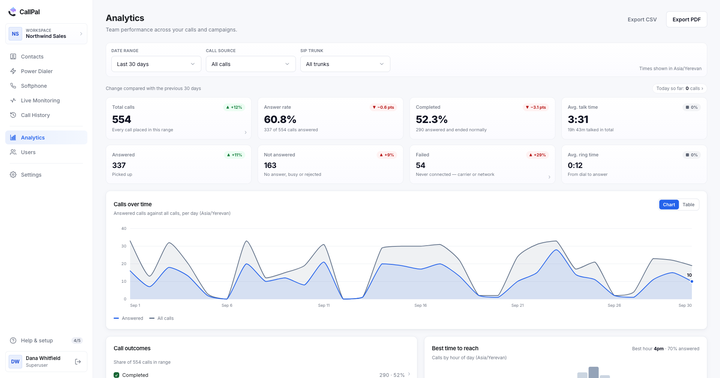
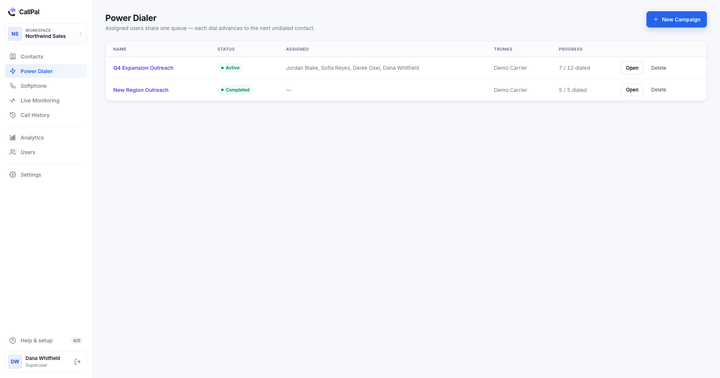
CallPal is a power dialer, deliberately and only. It runs saved campaigns that several reps share through one server-side queue, and an ad-hoc "call selected" run straight from the contacts table. Predictive dialing is not part of the product. See the power dialer page for how the two modes differ, or how to log every call in your CRM automatically for the half that happens after the call.