CallPal
Click-to-call sounds like a solved problem. A phone number is on the screen; make it clickable. The reason it keeps coming up is that dialing was never the hard part — a tel: link has worked in every browser for twenty years. The hard part is everything the click is supposed to trigger: the right number going out as caller ID, the call being recorded, and the outcome landing back on the record without a human typing it.
There are four common ways to add dialing to a CRM that lacks it. They are not equivalent, and the difference is measured in how much admin your reps still do after the call ends.
Option 1: tel: links
Most CRMs already render phone fields as tel: links. Clicking one hands the number to whatever the operating system has registered as a phone handler — a desk phone app, a softphone, or, on a laptop with nothing installed, nothing at all.
- Cost: nothing. It already works.
- Logging: none. The CRM never learns the call happened.
- Caller ID: whatever the handling device sends, which is frequently the rep’s own line.
- Recording: none, unless the handling device does it.
Fine for a founder making a handful of calls a week. Unworkable for a team, because the two things that make outbound measurable — automatic logging and consistent caller ID — are both absent.
Option 2: a browser extension
Extensions scan the page for anything shaped like a phone number and overlay a dial button. This is how several dialers reach CRMs they have no formal integration with.
It works, right up until the CRM changes its markup. The button lands on the wrong element, or on a fax number, or stops appearing after an upgrade — and because the extension is inferring structure from a rendered page, nobody can promise it will not. Logging back is similarly best-effort: the extension has to find a notes field and type into it as though it were the user.
Worth it when your CRM has no API worth using. Otherwise a fragile way to get a fragile version of option four.
Option 3: a native integration your CRM already ships
Some CRMs have a calling partner programme: install the app, authorise it, and dial buttons appear on records with calls logged as first-class activities. When your CRM has one and your telephony vendor is in it, this is the best available answer — the integration is maintained by two parties who both want it to work.
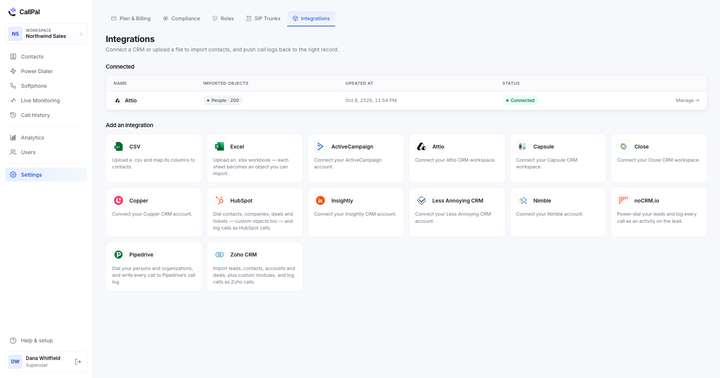
The catch is coverage. Partner programmes cluster around the largest CRMs. If you run Attio, Capsule, Copper, Insightly, Nimble or Less Annoying CRM, the list of calling partners is short, and often the ones that exist are pointed at a different market than yours.
Option 4: a calling layer that syncs both ways
The fourth approach inverts the relationship. Instead of adding a phone to your CRM, you run a calling application that holds a synced copy of the contacts and writes activity back through the CRM’s API. Reps work in the calling app; the CRM stays the system of record.
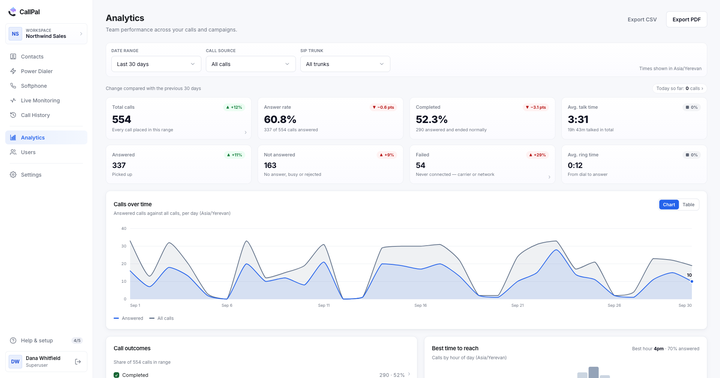
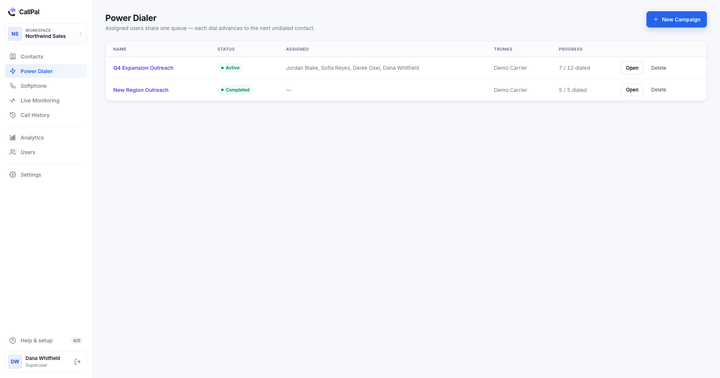
It costs one context switch and buys everything the other three lack: dialing, recording, caller-ID control, and a call log that appears on the CRM record without anyone typing it. It also means the dialer can do things a page overlay never can — power-dial a filtered list, put a supervisor on a live call, report on answer rate per rep.

Comparing the four
| tel: link | Extension | Native app | Calling layer | |
|---|---|---|---|---|
| Setup effort | None | Low | Low | Medium — one sync to configure |
| Survives a CRM redesign | Yes | Often not | Yes | Yes |
| Company caller ID enforced | No | Sometimes | Yes | Yes |
| Call logged automatically | No | Best effort | Yes | Yes |
| Recording | No | Sometimes | Yes | Yes |
| Power dialing a list | No | Rarely | Sometimes | Yes |
| Works with a niche CRM | Yes | Yes | Rarely | Yes, if it has a connector |
The three things to get right whichever you choose
Caller ID must be a company number, always
This is the requirement teams underrate until a rep leaves and their personal mobile keeps ringing with callbacks from prospects. Whatever you install, the number presented to the person you called should come from the organisation’s pool, and there should be no configuration in which a rep’s own line can be presented instead.
The call must reach the record, not a report
A dialer that keeps its own perfect call history and writes nothing back has moved your data into a second silo. The test is simple: open the CRM record for someone you called an hour ago, and see whether the call is there with its duration and outcome. If it is not, your CRM reporting is now wrong in a way nobody will notice for a quarter. There is more on making that reliable in how to log every sales call automatically.
Contact data should be masked by default
A clean, normalised list is the precondition for all of this, and the formatter will show how much of yours is not. A rep also does not need to read a phone number in order to dial it. Showing the last four digits is enough to confirm the right record and removes the easiest way for a full contact list to be copied out of the screen. In the screenshot above the number is masked and the call still places — that is the shape to look for.
What this looks like in CallPal
CallPal is the fourth option. Contacts sync in from Attio, Close, ActiveCampaign, Capsule, Copper, Insightly, Nimble or Less Annoying CRM — or from a CSV or Excel file — and each record keeps a link back to the object it came from. The Call button places the call over your own SIP trunk with a company number as caller ID, records it, and writes the call back to the CRM record. See click-to-call for the mechanics, or the integrations list for what connects today.