CallPal
An in-house sales team sets up its dialer once. An SDR or appointment-setting agency sets it up for every client it signs, and lives with the consequences when that client leaves. The questions are different: whose CRM the calls are logged in, whose name appears on the prospect’s phone, who keeps the recordings, and who answers for a complaint.
This is written for agencies of roughly five to thirty callers working for several clients at once, usually inside each client’s own CRM. First the problems that are specific to running outbound for someone else, then a setup checklist, then an honest account of where CallPal fits.
The problems an in-house team never has
Several CRMs, none of them yours
One client runs HubSpot, another Pipedrive, a third a spreadsheet exported every Monday. Their account managers judge your work by what appears on their records, so a call that is not logged against the right contact in the right CRM did not happen. A rep who dials in one tool and types notes into another, for three clients a day, will drop some of them, and the client notices before you do.
Whose caller ID the prospect sees
The prospect thinks they are hearing from the client, not from your agency. If the number on their screen is an agency number, or worse a number shared across five clients, a callback lands somewhere that cannot answer it in the client’s name, and one client’s spam reports drag down the answer rate for all the others. Each client needs its own numbers, presented only on its own calls.
Who keeps the numbers and recordings when a client leaves
Agency contracts end. When this one does, the client will reasonably expect to keep the phone numbers prospects know them by and the recordings of calls made in their name. If those sit in the agency’s carrier account and the agency’s dialer, the handover becomes a porting request and an argument. Decide it in the contract before the first dial, and set up the tooling so the answer is already true.
Per-minute markup at agency volume
Agencies dial more than most in-house teams: a hundred or more dials per rep per day is ordinary for appointment setting. Take fifteen reps at 120 dials a day over 21 working days, and assume an average of about 1.5 billed minutes per dial once voicemails and short conversations are counted. That is roughly 57,000 minutes a month. A markup of two cents a minute over wholesale is about $1,100 a month, every month, out of a margin that is already set by the client’s retainer. Use your own figures in the BYOC guide; the shape of the arithmetic will not change.
Compliance sits with you and the client, not the software
Recording consent, do-not-call requests and permitted calling hours are obligations of whoever makes the call and whoever it is made for. Software can enforce rules you configure; it cannot decide which rules apply to a client’s market. An agency that calls into several states or countries for several clients needs a written answer, per client, to three questions: are we allowed to record, whose do-not-call list are we honouring, and between which hours may we dial.
QA and coaching across a floor
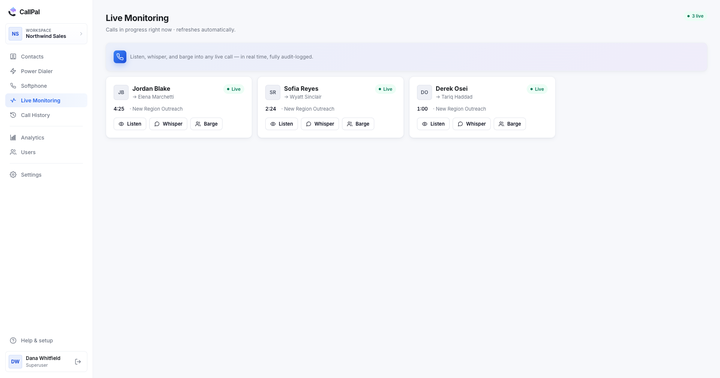
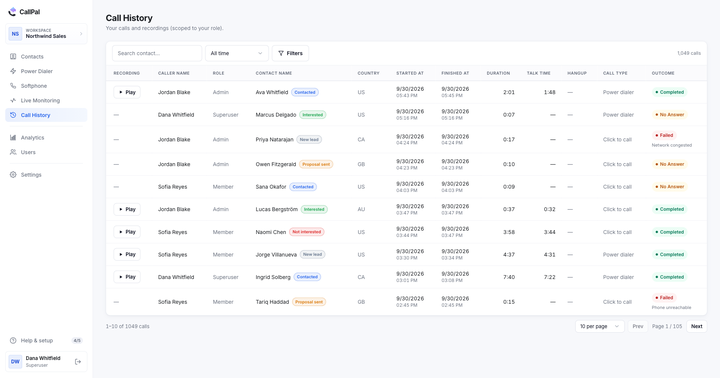
An agency sells conversations, so call quality is the product. Recordings let a QA lead review the calls a client complains about; live listening lets a team lead hear the ordinary calls where the habits form, and step in on a call that matters before it is lost. The monitoring playbook covers how to do that without it reading as surveillance.
A setup checklist for each new client
- One workspace per client, not one shared workspace. A shared workspace mixes contacts, numbers, recordings and call logs from clients who must never see each other’s data, and makes the eventual handover a sorting exercise. A workspace per client keeps each one’s records, numbers and settings apart, and lets the client hold the account if the contract says they should. The cost is administrative: in CallPal a login belongs to one workspace, so a rep who dials for three clients holds three logins, each on its own email address. Many agencies use the client-domain addresses the client issues anyway.
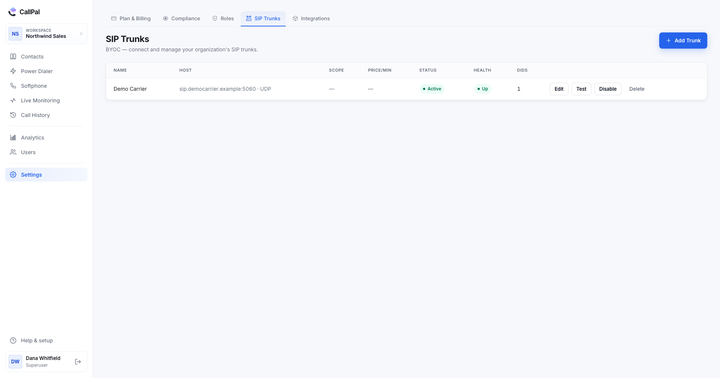
- A carrier account per client, ideally in the client’s name. With BYOC the dialer connects to a SIP trunk you or the client contract directly: Telnyx, Twilio, Flowroute, VoIP.ms or any other standard SIP provider. If the client opens the carrier account, the numbers are theirs from day one, the client pays wholesale rates for the minutes, and there is no per-minute markup from the dialer. When the engagement ends, nothing needs porting.
- Caller ID from that client’s numbers only. Present the client’s own numbers on their calls, register them with the carrier for caller-ID authentication where the market requires it, and never share a number between clients.
- CRM write-back into the client’s CRM. Connect the client’s CRM to their workspace and import their list from it, or from the CSV or Excel file they send. Every call should then be logged against the contact automatically, with duration and outcome, so the client sees the activity without anyone typing it. See the integrations for what is supported.
- Recording settings agreed in writing. Whether calls are recorded at all, whether a disclosure plays before the prospect is connected, and how long recordings are kept. Retention is a client decision as much as yours; set the window to what was agreed, not to the longest the plan allows.
- The client’s do-not-call list loaded before the first dial. Ask for their suppression list, add it to the workspace, and scrub every list you import against the applicable national registry before it reaches the dialer. Make sure every rep knows how to add a number the moment a prospect asks not to be called again.
- Calling hours set to the client’s market. If the client’s prospects sit in one time zone, the window is simple. If they span several, either split the list by zone or set the window conservatively for the narrowest one. The calling hours checker helps with the arithmetic.
- Monitoring and roles before the campaign starts. Decide who on your side may listen, whisper or barge on this client’s calls, whether anyone on the client’s side gets access, and tell the reps in writing. Put each client’s team lead in charge of that workspace rather than giving everyone admin.
Where CallPal fits, and where it doesn’t
CallPal was built for outbound teams calling from inside a CRM, and most of an agency’s day is exactly that. It was not built as an agency platform, and a few of the gaps matter for this kind of work.
Where it fits
- Calling in the client’s CRM. Browser click-to-call and a softphone, with calls logged automatically for HubSpot, Pipedrive, Zoho CRM, Close, Attio, Copper, Insightly, ActiveCampaign, Capsule, Nimble, noCRM.io and Less Annoying CRM, plus CSV and Excel import for clients who send a file.
- Volume without a phone bill markup. BYOC only: connect any SIP trunk and pay the carrier directly. CallPal does not resell minutes, so your margin does not shrink as your reps dial more.
- List work. Power dialer campaigns on Pro and up dial one contact at a time per rep. Voicemail drop, on every plan, leaves a prerecorded message on an answering machine with one button.
- Controls you configure per client. An automatic recording disclosure, a do-not-call list checked before every dial, calling hours for campaigns, and recording retention you can set shorter than the plan’s ceiling.
- A floor you can coach. Live monitoring with listen, whisper and barge, plus managers and advanced roles, on the Scale plan. Analytics show each workspace’s call activity per rep.
- Data location. CallPal is hosted in the EU, in Nuremberg, which some European clients will ask about.
Where it doesn’t
- No single agency console. Each client is its own workspace with its own logins and its own subscription. There is no view across all clients, and no one login that switches between them.
- Outbound only. No inbound routing, IVR or call queues. If prospects call back, the carrier has to route that call to a phone outside CallPal.
- No parallel or predictive dialing. One call at a time per rep, by design. Agencies whose model depends on dialing several lines per rep need a different tool.
- No SMS, WhatsApp or AI transcription. Follow-up texts and call summaries happen elsewhere.
- Do-not-call entries are added one number at a time. There is no bulk import of a suppression list yet, so a long client list means scrubbing your call lists before they reach the dialer.
- Calling hours are one window per workspace, in one time zone, and apply to campaigns. They do not follow each prospect’s local time, and click-to-call is not restricted by them.
- No bulk export of recordings. If the client is to keep recordings after the contract ends, the clean answer is that the client owns the workspace.
Pricing is per user per month: $19 Starter, $39 Pro, $59 Scale, with 20% off annual billing. Every workspace starts with a 14-day trial and no card, which is long enough to run one client’s first campaign on it before committing the rest. For the trunk side of the setup, start with BYOC & SIP trunks.