CallPal
The short answer: if you want calls, texts and AI summaries inside Pipedrive from one vendor, start your trials with JustCall, Kixie, Aircall or CloudTalk. If you mainly need click-to-call and a phone system around it, look at KrispCall and Ringover too. If your team only dials out, works pipeline stages as calling lists and wants to keep its own SIP carrier, CallPal is built for that case.
Disclosure: CallPal wrote this post, and CallPal is one of the seven options. Every claim about the other six comes from that vendor’s own Pipedrive integration page as we read it in October 2026. We have left out prices on purpose, because they change too often to print. Where a page did not mention a capability, the table says so. That means we did not see it on the page, not that the product cannot do it.
Pipedrive’s own calling: mobile, web-to-mobile, and Marketplace apps
Pipedrive’s help article on making calls is clear about what ships in the box and what does not. Desktop calling comes from a third-party app:
Although Pipedrive doesn’t have a built-in calling integration, you can still make calls directly from the platform using a calling app from our Marketplace.
Pipedrive Knowledge Base, “How can I make calls in Pipedrive?”
What Pipedrive does ship is phone-based. “Pipedrive’s iOS and Android mobile apps enable you to make and log calls directly from your mobile device”, and a feature called Web-to-mobile lets you click a number in the web app, which “sends a notification to your mobile device”. You then tap it and the call continues on your phone. The same article notes that with Web-to-mobile “the calls you make will be charged on your usual phone bill”.
That works for a founder making a few calls a day. It does not give you a list to dial through, a recording, or a company caller ID on every rep’s calls. For those you install a calling app and, as Pipedrive’s article says, set it as the default calling app in your calling settings. That setting is admin-only. After that, clicking a phone number in Pipedrive hands the call to the app.
What a Pipedrive dialer actually has to do
Nearly every calling app can place a call from a Pipedrive record. These are the four things that actually separate them.
Dial the right number from the list you already built
In Pipedrive, phone numbers live on the person. An organization has no phone field unless your account added a custom one, a deal points at the person behind it, and a lead has no phone of its own. So a dialer that says it calls “deals” or “organizations” is really calling the people attached to them. Check that it picks the right one when a person has a work, mobile and home number.
Write the call into Pipedrive’s call log
A call should land in Pipedrive as a call activity on the right person, with duration, outcome and a recording link, without the rep typing anything. A note attached to the contact is not the same thing, because it does not count in Pipedrive’s activity reporting. Our guide to logging calls in a CRM automatically covers the matching problems that send calls to the wrong record.
Power-dial a filter or a pipeline stage
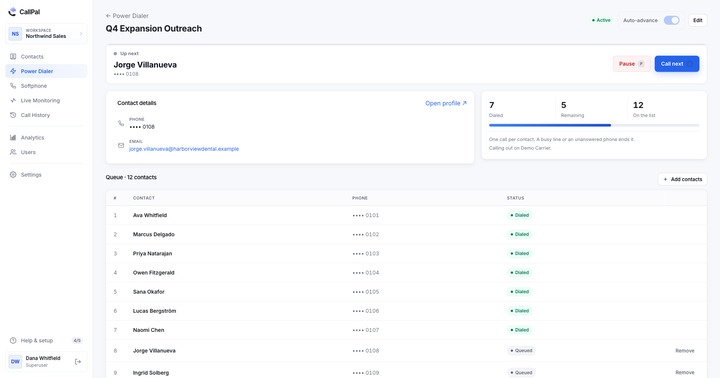
Click-to-call saves dialing digits. A power dialer saves the gap between calls: you pick a filtered list or every deal in one stage, press start, and the next person rings as soon as the last call ends. Some tools also dial several lines at once per rep (parallel or predictive dialing). That trade-off is explained in power dialer vs. predictive dialer.
Decide who carries the minutes
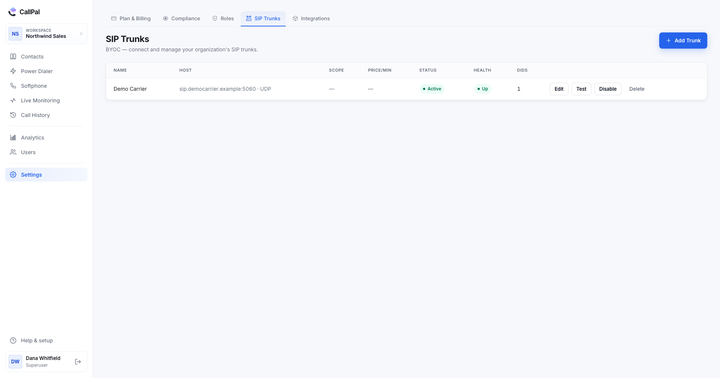
Most calling apps sell you the phone numbers and minutes along with the seats. A few, CallPal among them, are bring-your-own-carrier: you keep an account with a SIP provider such as Twilio or Telnyx and the software drives it. Bundled is the simpler start. Your own carrier means wholesale minute rates and numbers that stay put if you switch software. The BYOC SIP trunk guide goes through the setup.
The seven options side by side
| Capability | JustCall | Kixie | Aircall | CloudTalk | KrispCall | Ringover | CallPal |
|---|---|---|---|---|---|---|---|
| Call from inside Pipedrive | Click-to-call | Default calling app, screen pop | Click-to-dial | Calls from deal and contact | Click-to-call | Click-to-call | No: dials from CallPal’s own tab |
| List dialing | Power, dynamic, 10-line predictive | Multi-line power dialer on filtered list views | PowerDial a list loaded from Pipedrive | Power and parallel dialer | Not described on its Pipedrive page | Power Dialer campaigns | Power dialer, one line per rep |
| What lands in Pipedrive | Calls, SMS, voicemail, recordings, dispositions | Calls, recordings, outcomes, SMS | Calls, SMS, MMS, WhatsApp, notes | Activity with recording and notes | Calls, voicemails, SMS | Calls, texts, voicemail, recordings, tags | Native call-log entry with outcome and recording link |
| SMS | Yes, plus bulk SMS | Yes | SMS, MMS, WhatsApp | Yes | Yes | Yes | No |
| Inbound calls | Yes | Yes | Yes | Yes, with screen pop | Yes | Yes | No: outbound only |
| AI summaries or transcripts | Yes | Yes | Yes | Yes | Not described on its Pipedrive page | Yes (Empower) | No |
| Numbers and minutes | Check their site | Check their site | Check their site | Check their site | Check their site | Check their site | Your own SIP carrier |
Each option, fairly
JustCall
JustCall’s Pipedrive page covers the most ground: one-click calls and SMS from Pipedrive, automatic logging of “every call, SMS, and voicemail”, AI call summaries and scoring, and auto-dialing campaigns for Pipedrive contact lists “using Power, Dynamic, and 10-line Predictive Dialers”. It also lists live call monitoring, whisper and barge.
Good for teams whose follow-up is a mix of calls and texts, and who want AI coaching on the same screen. Watch out for the setup: by JustCall’s own FAQ, it creates a new Pipedrive contact when a call or text matches no existing one. Decide whether you want that before your reps start dialing.
Kixie
Kixie’s page describes a multi-line PowerDialer that “dials filtered list-views, logs calls to the exact record, and lets outcomes move Deals”. It also covers two-way SMS, one-click voicemail drop while power dialing, and call outcomes that can trigger Pipedrive automations. You set it as Pipedrive’s default calling app to get screen pops.
Good for teams that live in Pipedrive filters and want the dialer to work through them, with outcomes driving the pipeline. Watch out for multi-line dialing: Kixie’s site lists auto-dialing up to four numbers in parallel. Parallel dialing in general trades a few more conversations per hour for a different experience on the other end of the line, so listen to what your prospects hear before you roll it out.
Aircall
Aircall is a business phone system with a Pipedrive integration. Its page lists click-to-dial in Pipedrive, Insight Cards that show chosen fields from contacts, leads, deals and organizations as a call begins, automatic logging of calls, SMS, MMS and WhatsApp, AI call summaries, and the ability to “PowerDial through leads after loading a list from Pipedrive”.
Good for a team that answers calls as well as makes them and wants one phone system for both. Watch out for dialing being one feature among many. If a dialing session is your reps’ whole day, test the power-dial flow on a real list during the trial.
CloudTalk
CloudTalk’s page describes calls launched from Pipedrive deal and contact records, an activity created on hang-up with the recording and notes attached, power and parallel dialers, SMS from the deal timeline, AI transcription and sentiment, and a screen pop for incoming calls. The same page cites 160+ international numbers.
Good for teams that handle sales and support calls together, or that call into several countries. Watch out for the size of the product: there are a lot of call-centre features, so decide in advance which ones you will actually use.
KrispCall
KrispCall’s page describes a floating calling window available anywhere in Pipedrive, “seamless inbound and outbound calling”, click-to-call on any contact, two-way contact sync, automatic SMS logging, and call reports covering inbound, outbound, missed and transferred calls. It also offers a mobile app.
Good for a small team that wants a straightforward cloud phone inside Pipedrive, with contacts kept in sync both ways. Watch out for list dialing: its Pipedrive page leads with click-to-call and does not describe power-dialing a Pipedrive list. If that is what you need, ask them directly.
Ringover
Ringover’s page covers click-to-call from Pipedrive, contact details shown when a call comes in, and automatic logging of “calls, texts, voicemail messages, call recordings and call tags” on each contact. It also lists a Power Dialer for calling campaigns, and Empower, its conversational AI, which syncs insights into Pipedrive.
Good for teams that want a full phone system with campaign dialing and call tagging, and that care about inbound context as much as outbound volume. Watch out for how campaign lists are built: the page does not say whether they come straight from Pipedrive filters, so check that in a trial.
CallPal
This is our product. You connect Pipedrive in one click with OAuth. CallPal imports persons, organizations and deals, including custom fields and every labelled phone number, and leads with the number Pipedrive marks primary. Reps call from the browser with click-to-call and a softphone. On Pro and up, the power dialer runs campaigns, for example over everyone at one deal stage. Each finished call goes into Pipedrive’s own call log on the person, with duration, outcome and a link to the recording. Calls run over your own SIP trunk, with no per-minute markup from us. Also included: recording with an automatic disclosure, voicemail drop, a do-not-call list, calling hours, and live monitoring on Scale. Plans are $19, $39 and $59 per user per month, with a 14-day trial and no card required.
Good for outbound teams that want to keep their carrier and their numbers, and that dial pipeline stages rather than handling inbound calls. Watch out for the limits. CallPal is outbound only, with no inbound routing or IVR. It has no SMS or WhatsApp and no AI transcription. Reps dial from CallPal’s own tab rather than a panel inside Pipedrive, and records re-sync every 30 minutes or on demand. You also need your own SIP carrier account (Twilio, Telnyx or similar), which is an extra setup step the bundled tools don’t require. Setup details are in the Pipedrive guide and on the Pipedrive integration page.
How to choose
- You need inbound, SMS or WhatsApp as well as outbound: shortlist JustCall, Aircall, CloudTalk, KrispCall and Ringover, and pick on which channel matters most.
- Your reps work Pipedrive filters all day: trial Kixie and JustCall first, and CallPal if you want one line per rep and your own carrier.
- You already have a SIP carrier, or expect high minute volumes: CallPal is the bring-your-own-carrier option here. Compare its seat price plus your wholesale minutes against each bundled vendor’s quote.
- Coaching is the bottleneck, not dial volume: weight the AI summary and scoring features, which most of the bundled vendors on this list advertise.
Whatever you shortlist, run the same test with each: connect a real Pipedrive account, power-dial one real stage for a day, then open five people you called in Pipedrive. If each call is there in the call log, on the right person, with an outcome and a recording, and nobody typed it in, the tool works for your team.