CallPal
The short answer: a SIP trunk fails in one of two ways. Either it never connects (registration fails or the test times out), which is almost always the server address, the port and transport, or the login. Or it connects but every call fails, which is almost always a permission at the carrier: outbound calling not enabled, the country not allowed, no balance, or a caller ID the carrier does not accept. Find out which of the two you have before changing anything.
This guide is written from the carrier setups we have helped customers through, mostly on Telnyx, Twilio, VoIP.ms and Flowroute. The carrier-specific steps match our own setup guides, which quote each carrier’s documentation.
First, know how your trunk authenticates
Carriers accept outbound calls from your dialer or PBX in one of three ways, and "registration problems" only applies to the first:
- Registration. Your system logs in to the carrier with a username and password and stays registered. Telnyx, VoIP.ms and Flowroute work this way by default. A failed registration means the trunk is down.
- Credentials without registration. Each call carries the login, but nothing stays registered. Twilio’s Elastic SIP Trunking works this way, so a Twilio trunk never "registers" at all, and that is normal.
- IP authentication. The carrier trusts calls from an address you list with them. No login, no registration; a wrong address shows up as every call being refused.
When the trunk will not connect
Check these in order. Each one is quicker than the next, and the first two cause most failures.
- The server address. It must be the carrier’s SIP server, not its website or customer portal. A Telnyx trunk uses
sip.telnyx.com; a Twilio trunk uses your own Termination SIP URI ending in.pstn.twilio.com; VoIP.ms uses one of its regional servers ending in.voip.ms; Flowroute uses an address ending in.sip.flowroute.com. - The port and transport together. TLS normally runs on port 5061 and UDP or TCP on 5060. TLS on 5060, or plain UDP on 5061, fails without a clear error. Some carriers use other ports, so check theirs.
- The username format. Many carriers do not use your email as the SIP username. On VoIP.ms, for example, a sub account’s username is your account number, an underscore and the name you chose, such as
123456_callpal. Leaving out the account number is a common cause of a 403. - The password. Copy it again from the carrier’s portal. SIP passwords are often different from the portal login, and a trailing space is enough to fail.
- The authentication type. A trunk set to register against a carrier that expects credentials without registration, or the other way round, will fail however correct the login is.
The SIP trunk settings checker compares a host, port and transport against the common carriers’ published settings, in the browser.
When the trunk is up but every call fails
A connected trunk only proves the login works. Each call then has to pass the carrier’s own rules, and these are the usual reasons it does not:
- Outbound calling is not enabled for the connection. On Telnyx, the SIP connection must be added to an Outbound Voice Profile that allows the country you are calling; without one, Telnyx refuses every outbound call.
- The country is not allowed. Twilio refuses a call to any country not ticked under Voice → Settings → Geo permissions, however correct the trunk is. Most carriers have a similar list, often with only your home country on by default.
- No balance. Prepaid carriers such as VoIP.ms and Telnyx stop outbound calls at zero, and the error looks like any other refusal.
- The caller ID is not yours. Carriers generally only let you present a number on your own account. A number from another provider, or a typo in it, gets the call refused or the caller ID replaced.
- The number format. Send numbers in the international E.164 form (
+14155550142) unless the carrier asks otherwise. VoIP.ms, for example, needs its Dialing Mode set to E164 for that.
What the SIP error codes mean
If your carrier or PBX shows the SIP response, it narrows things down fast. The meanings below are the general ones from the SIP standard, RFC 3261; carriers sometimes use a code more loosely, so read it next to the checks above.
| Code | Meaning | Usual cause on a trunk |
|---|---|---|
| 401 / 407 | Authentication required | Normal once per request. Repeating means a wrong username or password |
| 403 Forbidden | Understood, but refused | Wrong username format, outbound not enabled, country blocked, no balance, caller ID not allowed |
| 404 Not Found | No such user or address | Wrong server or domain, or a number the carrier cannot route in that format |
| 408 Request Timeout | No answer in time | Server unreachable: wrong host, wrong port or transport, or a firewall |
| 486 Busy Here | Busy | Usually the callee. Some hosted phone lines also send it when the caller ID or From header is not what they expect |
| 488 Not Acceptable Here | Media not acceptable | A codec or encryption mismatch, such as the carrier requiring SRTP |
| 503 Service Unavailable | Temporarily unavailable | A carrier-side problem or a route that is down; try another trunk |
Caller ID and the compliance side
In the US, calls are signed under STIR/SHAKEN by the carrier that sends them, and the level of trust depends on whether that carrier knows you and the number. With your own carrier, finishing its business verification and calling from numbers it assigned to you is what earns the highest attestation. Our BYOC SIP trunk guide covers what bringing your own carrier means for this, and the Spam Likely risk checker scores the calling habits that get numbers labelled.
The order to check things in
- Does the trunk connect? If not: server address, then port and transport, then username format, then password, then authentication type.
- Does one test call to your own mobile work? If not: outbound permission, country, balance, caller ID, number format.
- Do some calls work and others fail? Compare the failing numbers: a country not allowed, a number format, or one caller ID that is not on your account.
- Did it work yesterday? Check the balance and any recent change at the carrier before anything in your dialer.
How CallPal helps with this
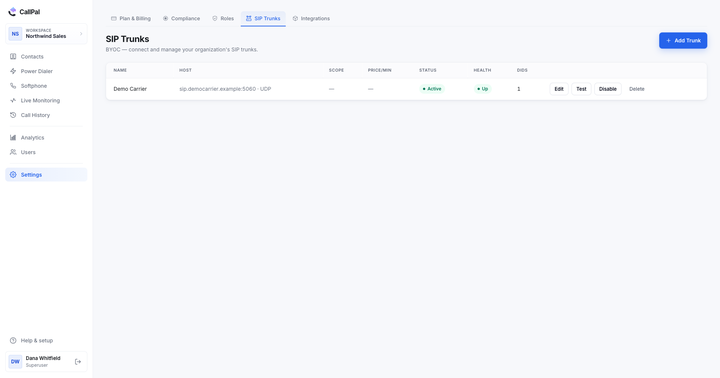
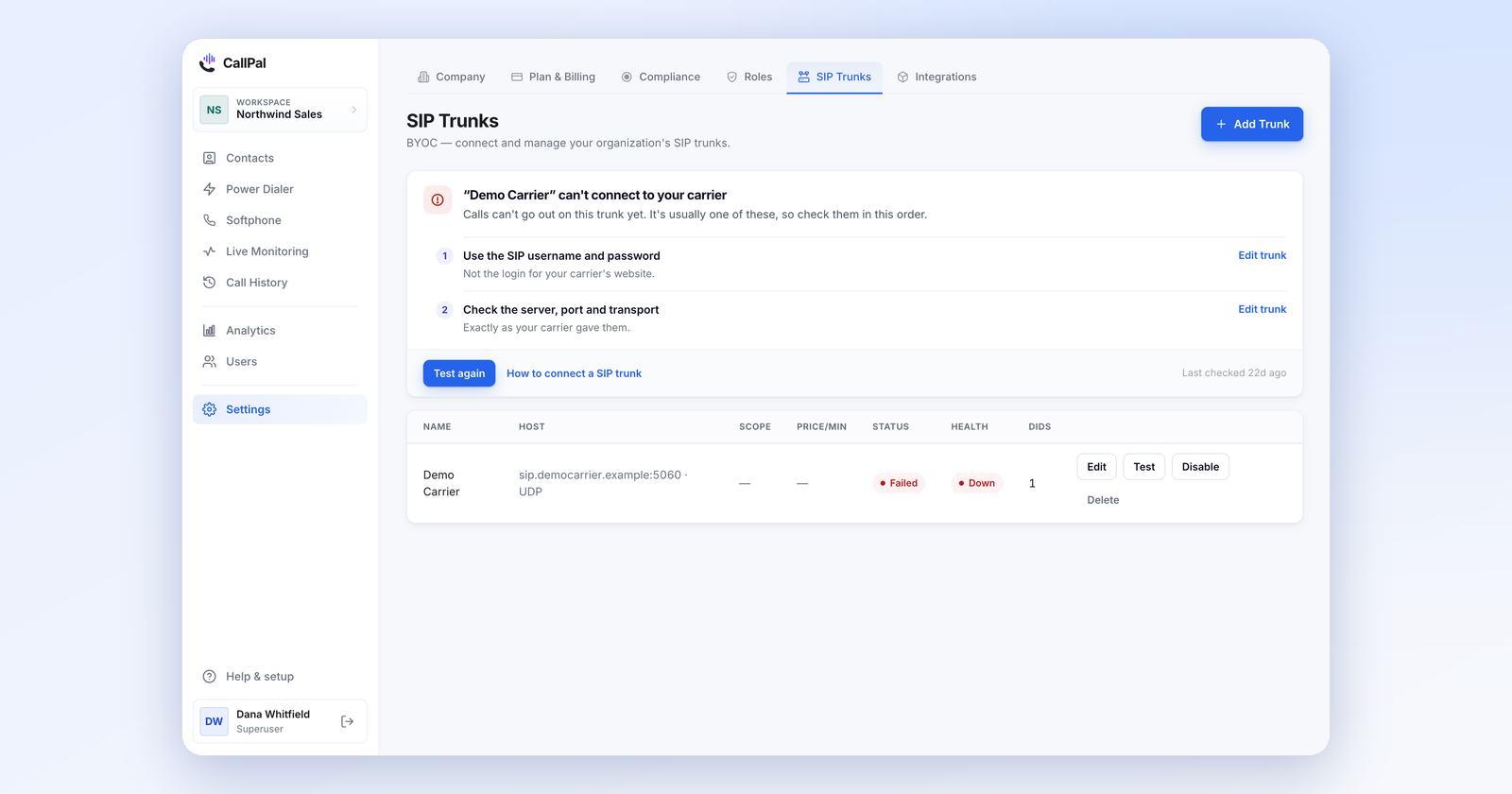
CallPal runs on your own SIP trunk, so these settings are the one setup step it asks of you. The SIP Trunks page checks each trunk and, when something is wrong, shows what to fix in place: whether the trunk cannot connect, has no number to call from, or is connected while the carrier refuses its calls. For Telnyx, Twilio, VoIP.ms, Flowroute and Peoplefone, it checks the server address and port against that carrier’s own settings and lists the carrier’s steps. A call the carrier refuses ends with "Your carrier refused this call", with a link to the fix, so a rep is not left guessing whether the contact declined.
One limit, stated plainly: CallPal sees how a call ended, not always the carrier’s exact SIP code, so a carrier refusal and a person declining can look alike. It only reports a call as refused by the carrier when the pattern makes that clear, such as several calls failing instantly in a row. Step-by-step setup is in the guides for Telnyx, Twilio, VoIP.ms and Flowroute.