CallPal
The short answer: if you are choosing a CRM from scratch and your team lives on the phone, look at the CRMs that ship calling themselves: Close, HubSpot, Freshsales and, through Zoho Voice, Zoho CRM. If you already run on a CRM your team likes, such as Pipedrive or Attio, adding a dialer is usually less work than moving every deal, workflow and habit to a new CRM for the sake of one feature.
Disclosure: CallPal wrote this post, and CallPal is a dialer you add to a CRM, not a CRM. Every claim about a CRM comes from that vendor’s own product page or help centre as we read it in October 2026. We have left out prices on purpose, because they change too often to print.
What “a CRM with a dialer” can mean
Three different things get sold under the same words, and the difference decides how many calls a rep can make in an hour.
- Click-to-call: click a number on a record and the call starts from the browser or an app. It saves dialing digits and logs the call, but the rep still goes back to the list between calls.
- Power dialer: you pick a list and press start, and the next person rings as soon as the last call ends. One line per rep.
- Parallel or predictive dialer: several numbers ring at once and the rep is connected to whoever answers. More conversations per hour, and a different experience for the person who picks up. Power dialer vs. predictive dialer covers the trade-off.
The fourth question is who carries the minutes. A CRM with calling built in sells you the numbers and the minutes, or includes an allowance. A separate dialer either does the same or, if it is bring-your-own-carrier, drives a SIP account you hold with a carrier such as Twilio or Telnyx.
CRMs that ship a dialer
Close
Close is the CRM most built around calling. Its calling page says calling is “built directly into the CRM” with “no extra apps, integrations, or third-party tools required”. It has a Power Dialer that “queues up your next call the moment one ends” and a Predictive Dialer that “calls multiple leads at once and connects reps only when someone answers”. Calls are logged automatically under the contact, you can buy numbers in Close or port an existing one, and outbound calls reach nearly 200 countries. Outbound minutes are charged on top of the plan.
HubSpot
HubSpot’s product catalog includes calling that places outbound calls, receives inbound ones on a HubSpot-provided number, and records and logs calls automatically. The minutes are an allowance shared by the whole account: up to 500, 3,000 or 12,000 a month depending on the edition. A sales power dialer that queues contacts from the Contacts index page is listed for Sales Hub Enterprise. Our HubSpot dialer comparison goes into the detail.
Freshsales
Freshsales has a built-in phone, run on Freshworks’ Freshcaller, and calls are paid from phone credits topped up in the account. Its support article describes a Power Dialer as “an automatic outbound dialer that lets you call a selected list of phone numbers”, available “on the Freshsales Suite only” for customers who signed up after 12 July 2023, with up to 1,000 contacts imported at a time.
Zoho CRM
Zoho CRM connects calling through Zoho Telephony (PhoneBridge), which Zoho’s help centre calls “a single point of integration between Zoho apps and cloud PBX providers”. Zoho’s own PBX is Zoho Voice, a separate product, and that is where the power dialer lives. You can also connect a third-party PBX through the same bridge.
CRMs that leave the dialer to apps
Pipedrive
Although Pipedrive doesn’t have a built-in calling integration, you can still make calls directly from the platform using a calling app from our Marketplace.
Pipedrive Knowledge Base, “How can I make calls in Pipedrive?”
Pipedrive’s mobile apps place and log calls, and Web-to-mobile starts a call on your phone from the web app. Desktop calling and list dialing come from Marketplace apps. Our Pipedrive dialer comparison covers seven of them.
Attio
Attio records and summarises meetings with its own call recorder, but it does not dial. Phone calls come from apps in its app store, such as Aircall, RingCentral and CallPal. Our Attio dialer comparison goes through them.
Capsule, Copper and other smaller CRMs
Capsule and Copper both list calling apps in their integration directories rather than shipping a dialer. The same is true of most CRMs built for small teams: the CRM keeps the records, and a calling app places the calls and writes them back.
Side by side
| CRM | Calling built in | List dialing | Who carries the minutes |
|---|---|---|---|
| Close | Yes | Power Dialer and Predictive Dialer | Close: numbers bought in Close, outbound minutes charged on top |
| HubSpot | Yes | Sales power dialer on Sales Hub Enterprise | HubSpot: 500, 3,000 or 12,000 minutes a month per account, by edition |
| Freshsales | Yes, via Freshcaller | Power Dialer on Freshsales Suite (accounts from 12 July 2023) | Freshworks: prepaid phone credits |
| Zoho CRM | Through Zoho Telephony (PhoneBridge) | Power Dialer in Zoho Voice, a separate product | Zoho Voice, or the third-party PBX you connect |
| Pipedrive | Mobile and Web-to-mobile only | From a Marketplace app | Your phone plan, or the app you install |
| Attio | No (records meetings) | From an app | The app you install |
Switch CRM, or add a dialer?
Switching CRM for calling means moving contacts, deals, custom fields, automations, email history and integrations, then retraining the team. That is worth it when calling is the job and the current CRM is weak at everything else too. If the CRM fits apart from calling, adding a dialer keeps the records where they are and changes one thing.
- Switch when you are picking a CRM anyway, most of the team’s day is on the phone, and you want calling, records and reporting from one vendor. Close is the one built around that case.
- Stay and use the built-in calling when your CRM already has it and its minutes cover the team. On HubSpot, that means checking the account’s monthly allowance against how much you dial.
- Stay and add a dialer when your CRM has no dialer, when the built-in one is on a higher edition than you pay for, or when its minutes run out or don’t reach the countries you call.
Whichever way you go, test it the same way: dial a real list for a day, then open five records you called. If each call is there on the right record, with an outcome and a recording, and nobody typed it in, it works.
Where CallPal fits
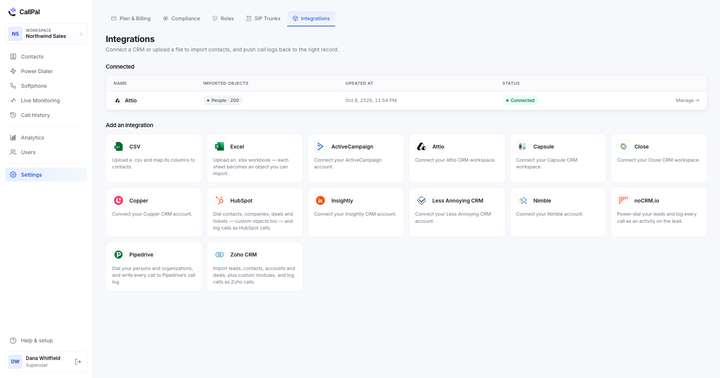
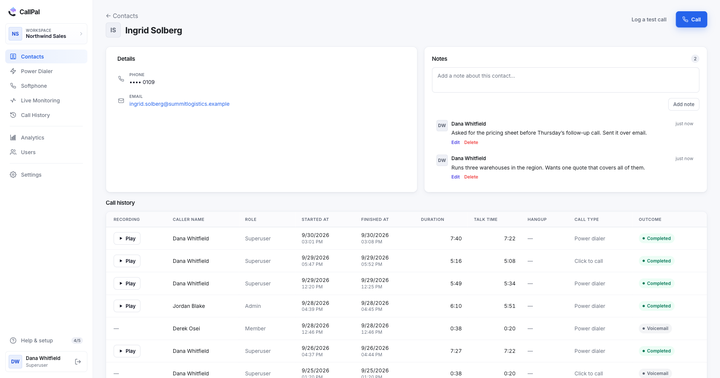
This is our product. CallPal is a CRM dialer: it adds click-to-call and a power dialer to the CRM you already use: Attio, Pipedrive, HubSpot, Close, Zoho CRM, Copper, Capsule, ActiveCampaign, Insightly, Nimble, noCRM.io and Less Annoying CRM, or a CSV list (all integrations). Records come in from the CRM, and each finished call is written back to the record it came from. Calls run over your own SIP carrier, so there is no minute allowance and no per-minute markup from us; the call cost calculator compares that with a bundled rate. Plans are $19, $39 and $59 per user per month, with the power dialer from $39, and a 14-day trial with no card.
The limits: CallPal is outbound only, with no inbound routing or IVR, no SMS or WhatsApp, no AI transcription and no predictive dialing. Reps dial from CallPal’s own tab rather than a window inside the CRM, and you need a SIP carrier account, which is an extra setup step a CRM’s built-in calling doesn’t ask for.