CallPal
The short answer: the best cold calling platform for an international team is the one that handles routes, caller ID and local time per country, not just per account. Check seven things: how calls reach each country and at what rate, which number the person called sees, whether the rep can see the contact’s local time, how numbers are stored, how each country’s rules are handled, what happens to recordings, and where reps can work from.
Most dialers are built and tested for one home market. The problems start when the same list holds numbers from the UK, Germany and the US, and the tool treats them all as if they were local.
1. How calls reach each country, and what that costs
Every international call ends on some carrier’s network in the destination country, and the rate depends on the route. Platforms that bundle calling choose the route for you and bill one rate per destination. Platforms that let you bring your own carrier (BYOC) let you choose, and you can use a different carrier for different countries, for example a European carrier for EU numbers and another for North America.
Ask two questions. Which countries are included in the plan, and which cost extra? And can calls to a given country be sent over a chosen carrier, with a fallback if that carrier fails? The SIP trunk cost comparison shows published per-minute rates from several carriers side by side, and our BYOC guide explains how a carrier connects to a dialer.
2. Which number the person called sees
A call from an unknown foreign number is easy to ignore. Many international teams therefore hold a number in each country they call, so a German prospect sees a German number and a UK prospect sees a UK one. The dialer has to choose the right one for each call automatically. A rep picking the number by hand will get it wrong on a busy day.
Getting those numbers is a carrier question. In many countries a carrier will ask for proof of a local address or business before it issues a number, and some numbers cannot be used for outbound calls at all. Check with your carrier before promising a team local numbers in a new market.
3. The contact’s local time, before the call
A rep in London working a list with US and Australian numbers has no reliable way to know it is 2 AM for the next person unless the tool shows it. Look for the contact’s local time beside the number, before the call is placed, and for calling hours that stop a campaign outside the window you set.
Ask how the time is worked out. A country code alone is not enough for countries that span several time zones, such as the US, Canada, Australia or Brazil. A tool that guesses a single zone for those will show the wrong hour for part of the list. The calling hours checker and the time zone call sheet do the same calculation for a list, in the browser.
4. Numbers stored in one international format
International lists arrive with numbers written every possible way: with and without the country code, with a trunk zero, with spaces and brackets. A dialer has to turn each one into the full international form (E.164, such as +44 20 7946 0000) before it can route the call or pick a caller ID. Ask what the import does with a number that has no country code, and whether it uses the contact’s country to fill it in.
The phone number formatter converts a list to E.164 in the browser, and the international dialing codes list gives the country code and trunk prefix for each country.
5. Each country’s calling rules
Rules for sales calls differ widely, and the dialer only helps with part of them. Three examples of how different they are:
- United Kingdom. Marketing calls must not go to numbers on the Telephone Preference Service list, or business numbers on the Corporate TPS, unless that subscriber has told you they want your calls, as the ICO explains.
- Germany. Section 7 of the Act against Unfair Competition (UWG) treats an advertising call to a consumer without prior express consent as unacceptable nuisance; calls to other market participants need at least their presumed consent.
- Canada. Telemarketers must check the National Do Not Call List run for the CRTC before calling consumers.
What to ask of the platform: a do-not-call list checked on every dial, a way to mark a contact as not to be called, and recording disclosure you can switch on. What stays yours: knowing the rules, collecting consent, and scrubbing against each country’s registry. For the US, see our do-not-call compliance checklist and call recording laws by state.
6. Recordings and personal data
Recording a call is processing personal data, and in the EU and UK that brings GDPR duties: a lawful basis, telling the person, keeping recordings no longer than needed, and deleting them on request. Check three things: whether the tool can play a recording notice before the call connects, whether you can set how long recordings are kept, and whether it can erase one contact’s data, recordings included. Ask for the vendor’s data processing agreement before the trial ends, not after.
7. Where reps can work from
International teams are often spread out too. A browser-based softphone lets a rep call from anywhere with a headset and a stable connection, with no desk phone to ship. Test call quality from the places your reps actually sit, at their busiest hour, during the trial. Audio that is fine in the vendor’s demo can be poor from a home connection on another continent.
The checklist
| Check | What good looks like |
|---|---|
| Routes and rates | You know the rate per country, and can route a country over a chosen carrier |
| Caller ID | A number from the right country is picked for each call, automatically |
| Local time | Shown per contact before the call; campaigns stop outside set hours |
| Number format | Every number stored in E.164; missing country codes handled on import |
| Calling rules | Do-not-call list on every dial; recording notice you can switch on |
| Recordings | Retention you set; one contact’s data can be erased |
| Reps anywhere | Browser softphone; call quality tested from where reps sit |
Where CallPal fits
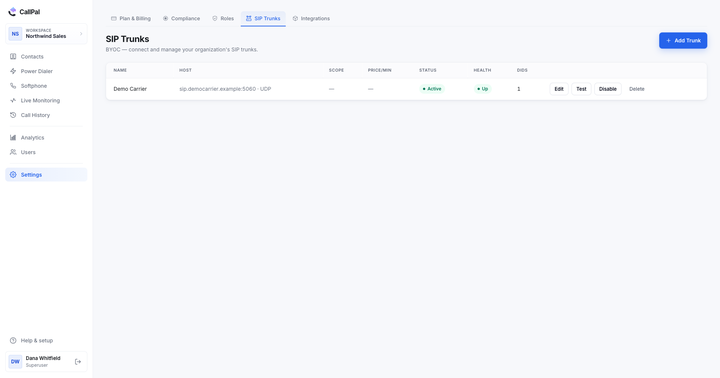
CallPal is a power dialer that runs on your own carriers, so international routing is set up by you rather than bundled. You can connect several SIP trunks and give each one the countries it serves, or mark it as global. For each call, CallPal puts a trunk that serves the contact’s country ahead of a global one, and moves on to the next trunk if a carrier refuses the call. A campaign can also be split across trunks by percentage. On each trunk, it picks the number whose leading digits best match the number being called, so a UK number calls a UK prospect when you have one.
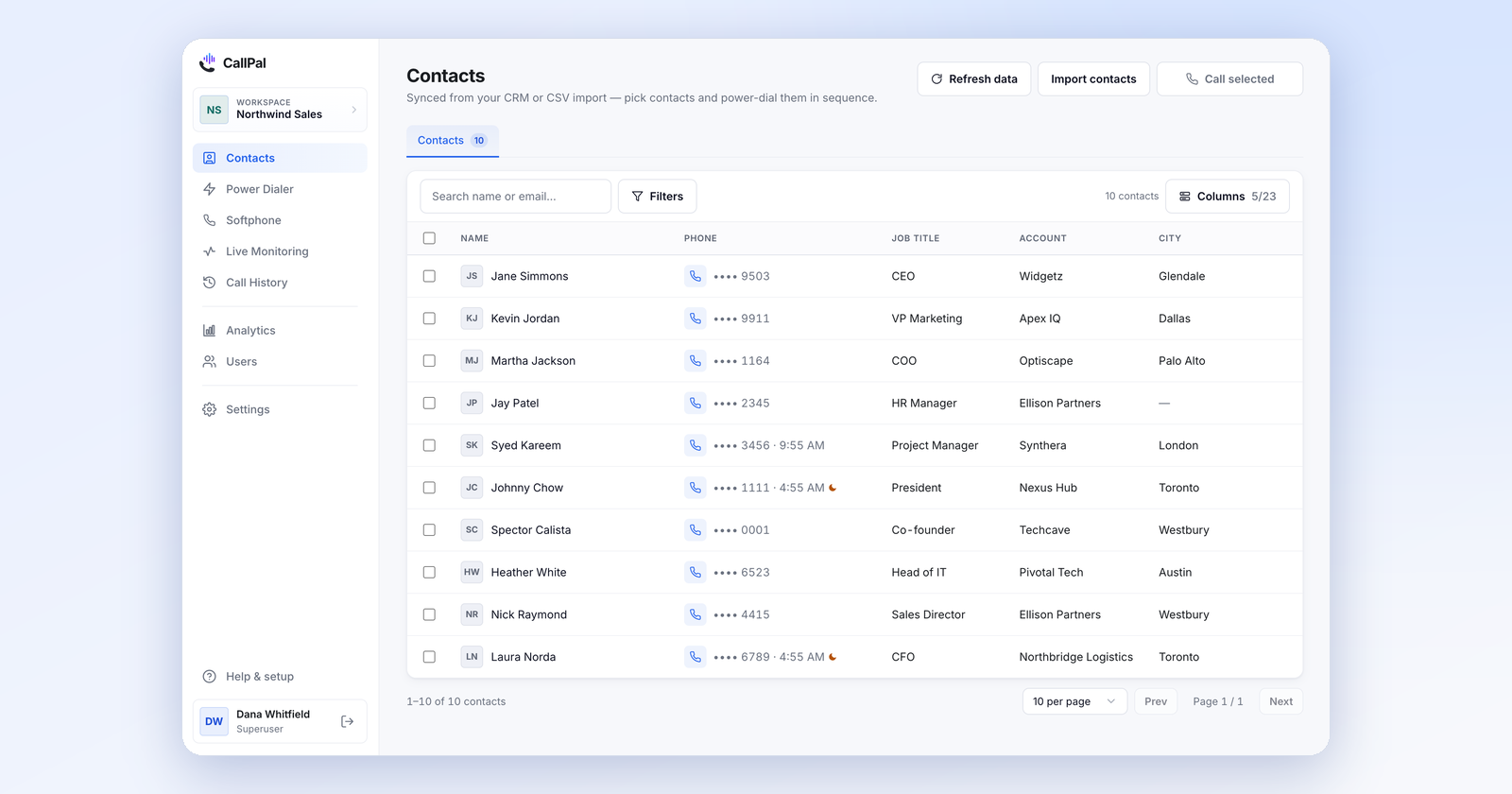
Each contact shows their local time beside the number before a call, with a moon outside 8 AM to 9 PM. The time comes from the number’s prefix, and CallPal shows nothing rather than guess for prefixes that span several time zones. Reps call from the browser. A do-not-call list is checked on every dial, a recording disclosure can play before the call connects, recording retention is set per workspace, and one contact’s data, recordings included, can be erased.
Watch out for the limits. Calling hours are one window in one time zone for the whole workspace, not per contact, so a team calling five time zones has to choose the window with care. CallPal does not supply numbers or contact data, and does not scrub against any country’s national do-not-call registry. It is outbound only: if prospects call your local numbers back, those calls go to wherever your carrier routes them, not to CallPal.